
R21xx-HP FlexFabric 11900 Fundamentals Command Reference



67
display ftp-user
Use display ftp-user to display detailed information about logged-in FTP users.
Syntax
display ftp-user
Views
Any view
Predefined user roles
network-admin
network-operator
Examples
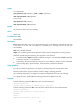
# Display detailed information about logged-in FTP users.
<Sysname> display ftp-user
UserName HostIP Port HomeDir
root 192.168.20.184 46539 flash:
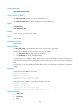
If a username exceeds 10 characters, a host IP address exceeds 15 bits, or a directory name exceeds 37
bits, the exceeded part is displayed in the next line and right justified, as shown below.
<Sysname> display ftp-user
UserName HostIP Port HomeDir
user2 2000:2000:2000: 1499 flash:/user2
2000:2000:2000:
2000:2000
administra 100.100.100.100 10001 flash:/123456789/123456789/123456789/
tor 123456789/123456789/123456789/1234567
89/123456789
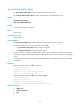
Table 8 Command output
Field Description
UserName Name of the user.
HostIP IP address of the user.
Port Port number of the user.
HomeDir Authorized directory for the user.
free ftp user
Use free ftp user to manually release the FTP connection that was established by using a specific user
account.
Syntax
free ftp user username
Views
User view