
R21xx-HP FlexFabric 11900 Fundamentals Command Reference
77
Examples
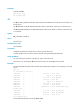
# Delete file b.txt.
ftp> delete b.txt
250 Deleted b.txt
dir
Use dir to display detailed information about the files and subdirectories under the current directory on
the FTP server.
Use dir remotefile to display detailed information about a specific file or directory on the FTP server.
Use dir remotefile localfile to save detailed information about a specific file or directory on the FTP server
to a local file.
Syntax
dir [ remotefile [ localfile ] ]
Views
FTP client view
Predefined user roles
network-admin
Parameters
remotefile: Specifies the name of a file or directory on the FTP server.
localfile: Specifies the name of the local file used for saving the displayed information.
Usage guidelines
You can perform this operation only after you log in to the FTP server.
In FTP client view, executing the dir command is the same as executing the ls command.
Examples
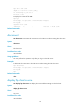
# Display detailed information about the files and subdirectories under the current directory on the FTP
server.
ftp> dir
150 Connecting to port 50201
-rwxr-xr-x 1 0 0 1481 Jul 7 15:36 a.txt
-rwxr-xr-x 1 0 0 0 Sep 27 2010 base.bin
drwxr-xr-x 2 0 0 8192 Jul 2 14:33 diagfile
drwxr-xr-x 3 0 0 8192 Jul 7 15:21 ftp
-rwxr-xr-x 1 0 0 0 Sep 27 2010 kernel.bin
drwxr-xr-x 2 0 0 8192 Jul 5 09:15 logfile
drwxr-xr-x 2 0 0 8192 Jul 2 14:33 seclog
-rwxr-xr-x 1 0 0 40808448 Jul 2 14:33 simware-cmw710-sys
tem-a1801.bin
-rwxr-xr-x 1 0 0 3050 Jul 7 12:26 startup.cfg
-rwxr-xr-x 1 0 0 54674 Jul 4 09:24 startup.mdb
-rwxr-xr-x 1 0 0 1481 Jul 7 12:34 x.cfg
226 11 matches total
# Save detailed information about file a.txt to s.txt.