
R21xx-HP FlexFabric 11900 Fundamentals Command Reference
82
Views
User view
Predefined user roles
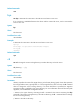
network-admin
Parameters
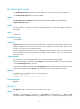
server-address: Specifies the IP address or host name of the FTP server.
service-port: Specifies the TCP port number of the FTP server, in the range of 0 to 65535. The default
value is 21.
source ipv6 source-ipv6-address: Specifies the source IPv6 address for sent FTP packets. This address
must be an IPv6 address that has been configured on the device.
source interface interface-type interface-number: Specifies a source interface by its type and number.
This parameter can be used only when the FTP server address is a link local address and the specified
output interface has a link local address. For more information about link local addresses, see Layer
3—IP Services Configuration Guide.
vpn-instance vpn-instance-name: Specifies the MPLS L3VPN to which the FTP server belongs. The
vpn-instance-name argument is a case-sensitive string of 1 to 31 characters. If the FTP server is on the
public network, do not specify this option.
-i interface-type interface-number: Specifies an output interface by its type and number. This parameter
can be used only when the FTP server address is a link local address and the specified output interface
has a link local address.
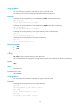
Usage guidelines
This command is only applicable to IPv6 networks.
If no parameters are specified, this command enters the FTP client view.
If the FTP server parameters are specified, you are prompted to enter the username and password for
logging in to the FTP server.
Examples
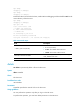
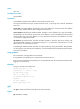
# Log in to the FTP server 2000::154.
<Sysname>ftp ipv6 2000::154
Connected to 2000::154 (2000::154).
220 FTP service ready.
User (2000::154): root
331 Password required for root.
Password:
230 User logged in
Remote system type is HP
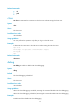
get
Use get to download a file from the FTP server and save the file.
Syntax
get remotefile [ localfile ]