
R21xx-HP FlexFabric 11900 Fundamentals Configuration Guide

95
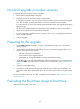
Ste
p
Command
Remarks
2. Specify main or backup
startup images for the
standby MPU.
Method 1:
boot-loader file ipe-filename slot
slot-number { backup | main }
Method 2:
boot-loader file boot
boot-package system
system-package [ feature
feature-package&<1-30> ] slot
slot-number { backup | main }
Method 3:
boot-loader update slot
slot-number
Method 4: See "Enabling
software synchronization fr
om the
active MPU to the standby MPU at
startup."
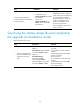
To use method 3:
• If the active MPU has started up
with main startup images, its main
startup images are synchronized to
the standby MPU, regardless of
whether any change has been
made to this set of startup images.
• If the active MPU has started up
with backup startup images, its
backup startup images are
synchronized to the standby MPU,
regardless of whether any change
has been made to this set of startup
images.
• Startup image synchronization fails
if any software image being
synchronized is not available or
has been corrupted.
• If an ISSU patch installation or
software upgrade has been
performed, use the install commit
command to update the set of main
startup images on the active MPU
before software synchronization for
startup image consistency between
the active MPU and the standby
MPU.
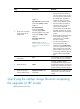
3. Save the running
configuration.
save
This step makes sure any configuration
you have made can survive a reboot.
4. Reboot the device.
reboot
At startup, the MPUs read the
preloaded BootWare image to RAM,
load the startup images in the file, and
set the images as both current software
images and startup software images.
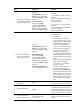
5. (Optional.) Verify the
software image settings.
display boot-loader [ slot
slot-number ]
Verify that the current software images
are the same as the startup software
images.
Specifying the startup image file and completing
the upgrade (in IRF mode)
Perform this task in user view.