
R21xx-HP FlexFabric 11900 Fundamentals Configuration Guide

43
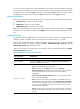
A user role can have multiple rules uniquely identified by rule numbers. The set of permitted commands
in these rules are accessible to the user role. If two rules conflict, the one with higher number takes effect.
For example, if rule 1 permits the ping command, rule 2 permits the tracert command, and rule 3 denies
the ping command, the user role can use the tracert command but not the ping command.
Resource access policies
Resource access policies control access of user roles to system resources and include the following types:
• Interface policy—Controls access to interfaces.
• VLAN policy—Controls access to VLANs.
• VPN instance policy—Controls access to VPNs.
Resource access policies do not control access to the interface, VLAN, or VPN options in the display
commands. You can specify these options in the display commands if they are permitted by any user role
rule.
Predefined user roles
The system provides 18 predefined user roles. All these user roles have access to all system resources
(interfaces, VLANs, and VPNs), but their command access permissions (see Table 9) diff
er.
Among all the predefined user roles, only the network-admin and level-15 user roles can access the RBAC
feature and change the settings including user-role, authentication-mode, protocol, and set
authentication password in user interface view.
Level-0 to level-14 users can modify their own permissions for any commands except for the display
history-command all command.
Table 9 Predefined roles and permissions matrix
User role name Permissions
network-admin Accesses all features and resources in the system.
network-operator
Accesses the display commands (except display history-command all) for all
features and resources in the system.
level-n (n = 0 to 15)
• level-0—Has access to the commands of ping. Tracert, ssh, telnet, and
super. Level-0 access rights are configurable.
• level-1—Has access to the display commands (except display
history-command all) of all features and resources in the system, in addition
to all access rights of the user role level-0. Level-1 access rights are
configurable.
• level-2 to level-8, and level-10 to level-14—Have no access rights by default.
Access rights are configurable.
• level-9—Has access to all features and resources except RBAC, local users,
file management, device management, and the display history-command all
command. If you are logged in with a local user account that has a level-9
user role, you can change the password in the local user account. Level-9
access rights are configurable.
• level-15—Has the same access rights as the role network-admin. Commands
described as accessible to network-admin are also accessible to the Level-15
user role.