
R21xx-HP FlexFabric 11900 Fundamentals Configuration Guide

59
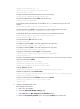
# Use the super password to switch the user role. When the system prompts for a username and
password, enter the username test@bbb and password enabpass.
<Switch> super level-3
Username: test@bbb
Password:
The following output shows that you have switched the user role to level-3.
User privilege role is level-3, and only those commands that authorized to the role
can be used.
# If the ACS server does not respond, enter the local authentication password 654321 at the
prompt.
Invalid configuration or no response from the authentication server.
Change authentication mode to local.
Password:
User privilege role is level-3, and only those commands that authorized to the role
can be used.
The output shows that you have switched the user role to level-3.
Troubleshooting RBAC
This section describes several typical RBAC problems and their solutions.
Local users have more access permissions than intended
Symptom
A local user can use more commands than should be permitted by the assigned user roles.
Analysis
The local user might have been assigned to user roles without your knowledge. For example, the local
user is automatically assigned a default user role when you create it.
Solution
Use the display local-user command to examine the local user accounts for undesirable user roles, and
delete them.
Login attempts by RADIUS users always fail
Symptom
Attempts by a RADIUS user to log in to the network access device always fail, even though the network
access device and the RADIUS server can communicate with one another and all AAA settings are
correct.
Analysis
RBAC requires that a login user have at least one user role. If the RADIUS server does not authorize the
login user to use any user role, the user cannot log in to the device.
Solution
Resolve the problem in one of the following ways: