
R21xx-HP FlexFabric 11900 IP Multicast Command Reference
165
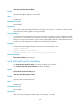
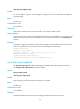
Predefined user roles
network-admin
Examples
# Enable IPv6 multicast routing and enter IPv6 PIM view.
<Sysname> system-view
[Sysname] ipv6 multicast routing-enable
[Sysname] ipv6 pim
[Sysname-pim6]
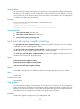
ipv6 pim bfd enable
Use ipv6 pim bfd enable to enable IPv6 PIM to work with BFD.
Use undo ipv6 pim bfd enable to disable this feature.
Syntax
ipv6 pim bfd enable
undo ipv6 pim bfd enable
Default
This feature is disabled.
Views
Interface view
Predefined user roles
network-admin
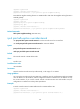
Usage guidelines
This feature does not take effect unless you enable IPv6 PIM-DM or IPv6 PIM-SM on an interface before
you configure this feature.
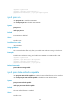
Examples
# Enable IPv6 multicast routing, enable IPv6 PIM-DM on interface VLAN-interface 100, and enable IPv6
PIM to work with BFD on the interface.
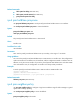
<Sysname> system-view
[Sysname] ipv6 multicast routing-enable
[Sysname] interface vlan-interface 100
[Sysname-Vlan-interface100] ipv6 pim dm
[Sysname-Vlan-interface100] ipv6 pim bfd enable
Related commands
• ipv6 pim dm
• ipv6 pim sm
ipv6 pim bsr-boundary
Use ipv6 pim bsr-boundary to configure an IPv6 PIM domain border (a bootstrap message boundary).