
R21xx-HP FlexFabric 11900 IP Multicast Command Reference

29
Multicast routing and forwarding commands
The term "interface" in the multicast routing and forwarding features collectively refers to Layer 3
interfaces, including VLAN interfaces and Layer 3 Ethernet interfaces. You can set an Ethernet port as a
Layer 3 interface by using the port link-mode route command (see Layer 2—LAN Switching
Configuration Guide).
delete ip rpf-route-static
Use delete ip rpf-route-static to delete all static multicast routes.
Syntax
delete ip rpf-route-static
Views
System view
Predefined user roles
network-admin
Usage guidelines
This command deletes all static multicast routes. The undo ip rpf-route-static command deletes a
specified static multicast route.
Examples
# Delete all static multicast routes.
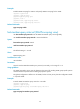
<Sysname> system-view
[Sysname] delete ip rpf-route-static
This will erase all multicast static routes and their configurations, you must reconfigure
all static routes.
Are you sure?[Y/N]:y
Related commands
ip rpf-route-static
display mac-address multicast
Use display mac-address multicast to display the static multicast MAC address entries.
Syntax
display mac-address [ mac-address [ vlan vlan-id ] | [ multicast ] [ vlan vlan-id ] [ count ] ]
Views
Any view
Predefined user roles
network-admin
network-operator