
R21xx-HP FlexFabric 11900 IP Multicast Command Reference

31
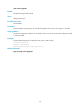
Syntax
display multicast boundary [ group-address [ mask-length | mask ] ] [ interface interface-type
interface-number ]
Views
Any view
Predefined user roles
network-admin
network-operator
Parameters
group-address: Specifies a multicast group address, in the range of 224.0.0.0 to 239.255.255.255. If
this argument is not specified, this command displays the multicast boundary information of all multicast
groups.
mask-length: Specifies the address mask length, in the range of 4 to 32. The default is 32.
mask: Specifies the address mask. The default is 255.255.255.255.
interface interface-type interface-number: Specifies an interface. The argument interface-type
interface-number specifies the type and number of this interface. If this option is not specified, this
command displays the multicast boundary information on all interfaces.
Examples
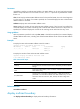
# Display the multicast boundary information of all multicast groups on all interfaces.
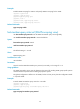
<Sysname> display multicast boundary
Boundary Interface
224.1.1.0/24 Vlan1
239.2.2.0/24 Vlan2
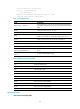
Table 10 Command output
Field Descri
p
tion
Boundary Multicast group that corresponds to the multicast boundary.
Interface Boundary interface that corresponds to the multicast boundary.
Related commands
multicast boundary
display multicast forwarding-table
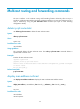
Use display multicast forwarding-table to display information about the multicast forwarding table.
Syntax
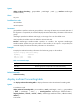
In standalone mode:
display multicast forwarding-table [ source-address [ mask { mask-length | mask } ] | group-address
[ mask { mask-length | mask } ] | incoming-interface interface-type interface-number |
outgoing-interface { exclude | include | match } interface-type interface-number | slot slot-number|
statistics ] *
In IRF mode: