
R21xx-HP FlexFabric 11900 IP Multicast Command Reference
38
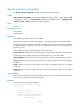
Usage guidelines
In the same multicast source address range, you can configure up to 16 RPF neighbors.
When you configure an RPF neighbor, you can specify the type and number of the interface only for the
point-to-point interface. You can also specify the IP address for the interface that is not a point-to-point
one, such as a Layer 3 Ethernet interface, Loopback interface, or VLAN interface.
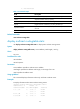
The configured static multicast route might not take effect due to one of the following reasons:
• The outgoing interface iteration fails.
• The specified interface is not in the public network or the same VPN instance as the current
interfaces, is not a point-to-point one, or is in down state.
In addition, if multiple static multicast routes within the same multicast source address range are available,
only the one with the highest priority can become active. Therefore, after you configure a static multicast
route, use the display multicast routing-table static command to verify that the configured static multicast
route has taken effect.
The undo ip rpf-route-static command deletes the specified static multicast route, but the delete ip
rpf-route-static command deletes all static multicast routes.
Examples
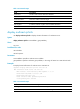
# Configure a static multicast route to the multicast source groups 10.1.1.1/24, and specify a router with
the IP address of 192.168.1.23 as its RPF neighbor.
<Sysname> system-view
[Sysname] ip rpf-route-static 10.1.1.1 24 192.168.1.23
Related commands
• delete ip rpf-route-static
• display multicast routing-table static
mac-address multicast
Use mac-address multicast to configure a static multicast MAC address entry.
Use undo mac-address multicast to delete a static multicast MAC address entry.
Syntax
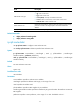
In system view:
mac-address multicast mac-address interface interface-list vlan vlan-id
undo mac-address [ multicast ] [ [ mac-address [ interface interface-list ] ] vlan vlan-id ]
In Ethernet interface view or Layer 2 aggregate interface view:
mac-address multicast mac-address vlan vlan-id
undo mac-address [ multicast ] mac-address vlan vlan-id
Default
No static multicast MAC address entry is configured.
Views
System view, Ethernet interface view, Layer 2 aggregate interface view