
R21xx-HP FlexFabric 11900 IP Multicast Command Reference
41
Examples
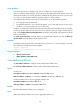
# Enable load splitting of multicast traffic on a per-source basis.
<Sysname> system-view
[Sysname] multicast load-splitting source
multicast longest-match
Use multicast longest-match to configure the device to select the RPF route based on the longest prefix
match principle.
Use undo multicast longest-match to restore the default.
Syntax
multicast longest-match
undo multicast longest-match
Default
The device selects the route with the highest priority as the RPF route.
Views
System view
Predefined user roles
network-admin
Examples
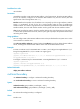
# Configure the device to select the RPF route based on the longest prefix match principle.
<Sysname> system-view
[Sysname] multicast longest-match
multicast routing-enable
Use multicast routing-enable to enable IP multicast routing.
Use undo multicast routing-enable to disable IP multicast routing.
Syntax
multicast routing-enable
undo multicast routing-enable
Default
IP multicast routing is disabled.
Views
System view
Predefined user roles
network-admin
Usage guidelines
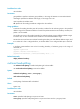
You must enable IP multicast routing before you can execute other Layer 3 multicast commands.
The device does not forward any multicast packets before IP multicast routing is enabled.