
R21xx-HP FlexFabric 11900 IP Multicast Command Reference
76
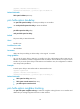
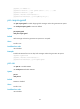
• multicast boundary
pim dm
Use pim dm to enable PIM-DM.
Use undo pim dm to disable PIM-DM.
Syntax
pim dm
undo pim dm
Default
PIM-DM is disabled.
Views
Interface view
Predefined user roles
network-admin
Usage guidelines
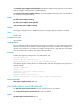
This command takes effect only after you enable IP multicast routing on the device.
Examples
# Enable IP multicast routing, and enable PIM-DM on VLAN-interface 100.
<Sysname> system-view
[Sysname] multicast routing-enable
[Sysname] interface vlan-interface 100
[Sysname-Vlan-interface100] pim dm
Related commands
multicast routing-enable
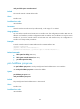
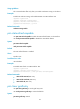
pim hello-option dr-priority
Use pim hello-option dr-priority to set the priority for DR election for an interface.
Use undo pim hello-option dr-priority to restore the default.
Syntax
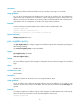
pim hello-option dr-priority priority
undo pim hello-option dr-priority
Default
The priority for DR election is 1.
Views
Interface view
Predefined user roles
network-admin