
R21xx-HP FlexFabric 11900 IP Multicast Configuration Guide
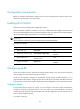
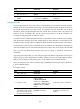
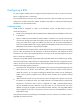
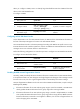
Table Of Contents
- Title Page
- Contents
- Multicast overview
- Configuring IGMP snooping
- Overview
- IGMP snooping configuration task list
- Configuring basic IGMP snooping functions
- Configuring IGMP snooping port functions
- Configuring IGMP snooping policies
- Displaying and maintaining IGMP snooping
- IGMP snooping configuration examples
- Troubleshooting IGMP snooping
- Configuring multicast routing and forwarding
- Configuring IGMP
- Configuring PIM
- Overview
- Configuring PIM-DM
- Configuring PIM-SM
- Configuring common PIM features
- Displaying and maintaining PIM
- PIM configuration examples
- Troubleshooting PIM
- Configuring MLD snooping
- Overview
- MLD snooping configuration task list
- Configuring basic MLD snooping functions
- Configuring MLD snooping port functions
- Configuring MLD snooping policies
- Displaying and maintaining MLD snooping
- MLD snooping configuration examples
- Troubleshooting MLD snooping
- Configuring IPv6 multicast routing and forwarding
- Configuring MLD
- Configuring IPv6 PIM
- PIM overview
- Configuring IPv6 PIM-DM
- Configuring IPv6 PIM-SM
- Configuring common IPv6 PIM features
- Displaying and maintaining IPv6 PIM
- IPv6 PIM configuration examples
- Troubleshooting IPv6 PIM
- Support and other resources
- Index
171
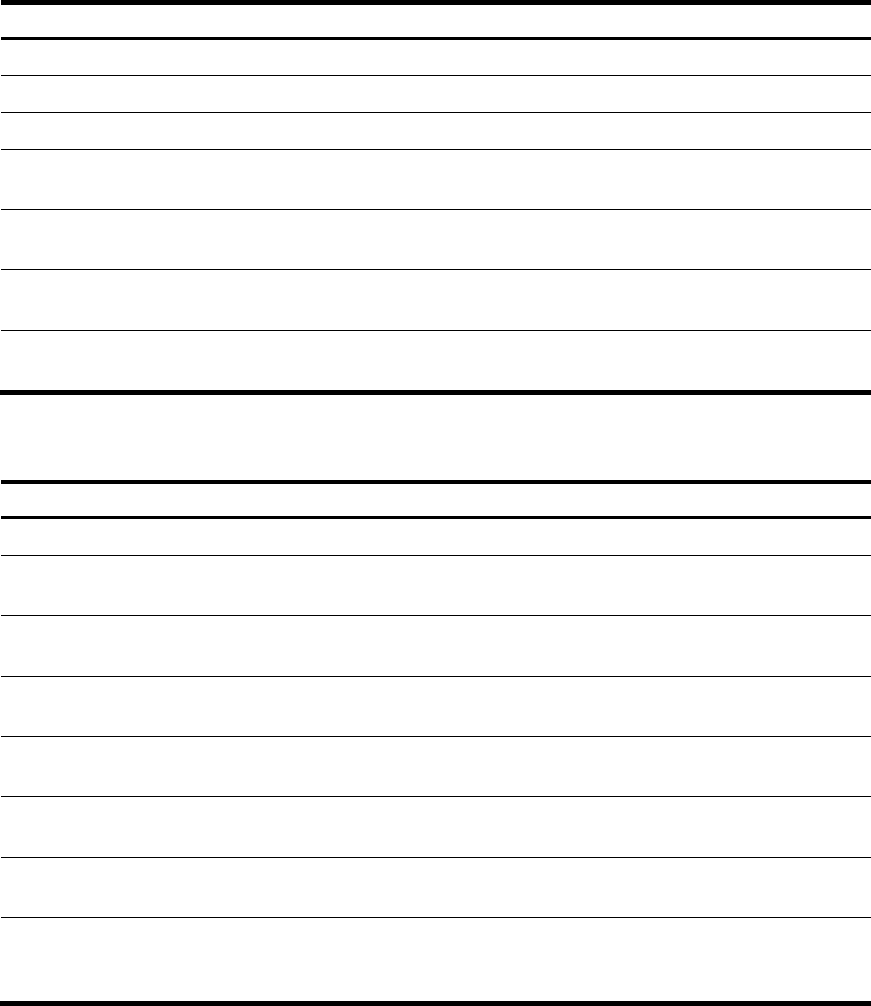
Configuring hello message options globally
Ste
p
Command Remarks
1. Enter system view.
system-view
N/A
2. Enter IPv6 PIM view.
ipv6 pim N/A
3. Set the DR priority.
hello-option dr-priority priority By default, the DR priority is 1.
4. Set the neighbor lifetime.
hello-option holdtime time
By default, the neighbor lifetime is
105 seconds.
5. Set the prune message delay.
hello-option lan-delay delay
By default, the prune message
delay is 500 milliseconds.
6. Set the override interval.
hello-option override-interval
interval
By default, the override interval is
2500 milliseconds.
7. Enable the neighbor tracking
function.
hello-option neighbor-tracking
By default, the neighbor tracking
function is disabled.
Configuring hello message options on an interface
Ste
p
Command Remarks
1. Enter system view.
system-view
N/A
2. Enter interface view.
interface interface-type
interface-number
N/A
3. Set the DR priority.
ipv6 pim hello-option dr-priority
priority
By default, the DR priority is 1.
4. Set the neighbor lifetime.
ipv6 pim hello-option holdtime
time
By default, the neighbor lifetime is
105 seconds.
5. Set the prune delay.
ipv6 pim hello-option lan-delay
delay
By default, the prune delay is 500
milliseconds.
6. Set the override interval.
ipv6 pim hello-option
override-interval interval
By default, the override interval is
2500 milliseconds.
7. Enable the neighbor tracking
function.
ipv6 pim hello-option
neighbor-tracking
By default, the neighbor tracking
function is disabled.
8. Enable dropping hello
messages without the
Generation ID option.
ipv6 pim require-genid
By default, an interface accepts
hello message without the
Generation ID option.
Configuring common IPv6 PIM timers
IPv6 PIM routers periodically send hello messages to discover IPv6 PIM neighbors, and maintain IPv6
PIM neighbor relationship.
After receiving a hello message, an IPv6 PIM router waits for a random time period before sending a
hello message. This random time period is smaller than the maximum delay for sending hello messages,