
R21xx-HP FlexFabric 11900 IP Multicast Configuration Guide

Table Of Contents
- Title Page
- Contents
- Multicast overview
- Configuring IGMP snooping
- Overview
- IGMP snooping configuration task list
- Configuring basic IGMP snooping functions
- Configuring IGMP snooping port functions
- Configuring IGMP snooping policies
- Displaying and maintaining IGMP snooping
- IGMP snooping configuration examples
- Troubleshooting IGMP snooping
- Configuring multicast routing and forwarding
- Configuring IGMP
- Configuring PIM
- Overview
- Configuring PIM-DM
- Configuring PIM-SM
- Configuring common PIM features
- Displaying and maintaining PIM
- PIM configuration examples
- Troubleshooting PIM
- Configuring MLD snooping
- Overview
- MLD snooping configuration task list
- Configuring basic MLD snooping functions
- Configuring MLD snooping port functions
- Configuring MLD snooping policies
- Displaying and maintaining MLD snooping
- MLD snooping configuration examples
- Troubleshooting MLD snooping
- Configuring IPv6 multicast routing and forwarding
- Configuring MLD
- Configuring IPv6 PIM
- PIM overview
- Configuring IPv6 PIM-DM
- Configuring IPv6 PIM-SM
- Configuring common IPv6 PIM features
- Displaying and maintaining IPv6 PIM
- IPv6 PIM configuration examples
- Troubleshooting IPv6 PIM
- Support and other resources
- Index
57
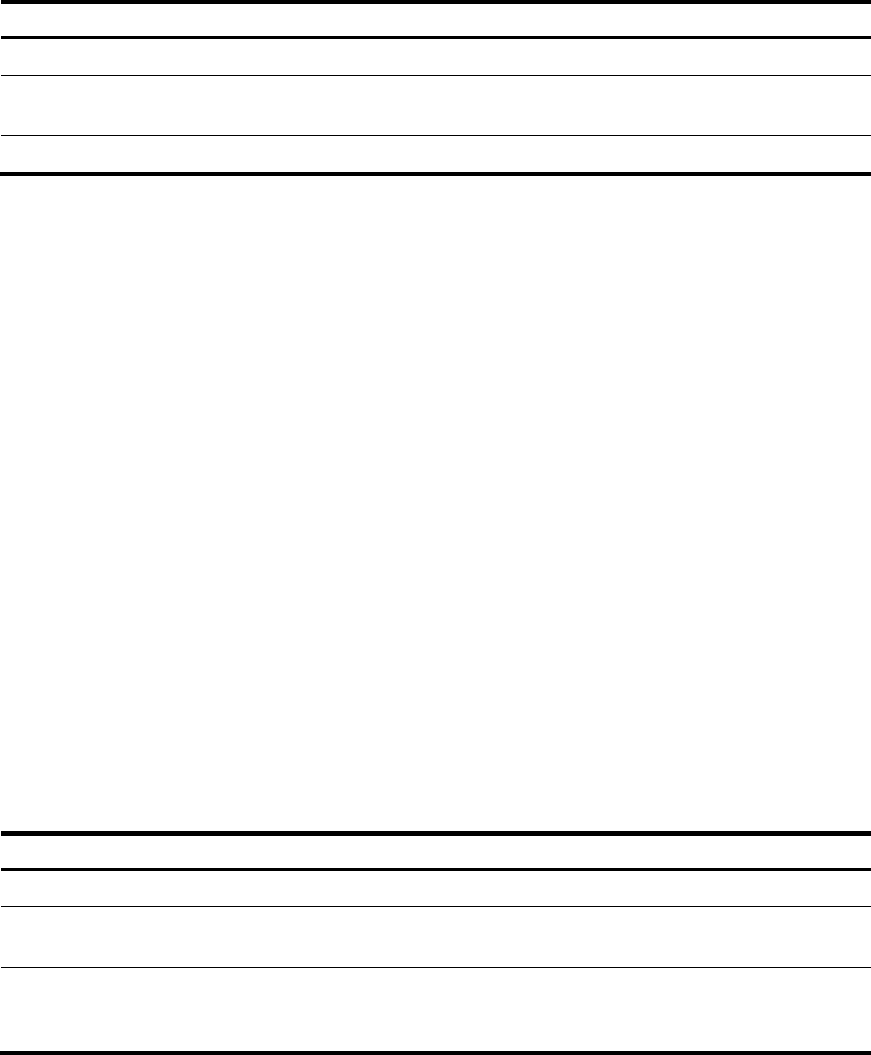
To specify an IGMP version:
Ste
p
Command Remarks
1. Enter system view.
system-view N/A
2. Enter interface view.
interface interface-type
interface-number
N/A
3. Specify an IGMP version.
igmp version version-number IGMPv2 by default.
Configuring an interface as a static member interface
You can configure an interface as a static member of a multicast group or a multicast source and group,
so that the interface can receive multicast data addressed to that multicast group for the purpose of
testing multicast data forwarding.
Configuration guidelines
• A static member interface has the following restrictions:
{ If the interface is IGMP and PIM-SM enabled, it must be a PIM-SM DR.
{ If the interface is IGMP enabled but not PIM-SM enabled, it must be an IGMP querier.
For more information about PIM-SM and DR, see "Configuring PIM."
• A stati
c member interface does not respond to queries that the IGMP querier sends. When you
configure an interface as a static member or cancel this configuration on the interface, the interface
does not send any IGMP report or IGMP leave message without a request. This is because the
interface is not a real member of the multicast group or the multicast source and group.
Configuration procedure
To configure an interface as a static member interface:
Ste
p
Command Remarks
1. Enter system view.
system-view N/A
2. Enter interface view.
interface interface-type
interface-number
N/A
3. Configure the interface as a
static member interface.
igmp static-group group-address
[ source source-address ]
An interface is not a static member
of any multicast group or multicast
source and group by default.
Configuring a multicast group filter
To restrict the hosts on the network attached to an interface from joining certain multicast groups, you can
specify an ACL on the interface as a packet filter so that the interface maintains only the multicast groups
that match the criteria.
To configure a multicast group filter: