
R21xx-HP FlexFabric 11900 IRF Command Reference

15
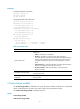
<Sysname> system-view
[Sysname] irf member 2 priority 32
Related commands
irf priority
irf member renumber
Use irf member renumber to change the member ID of a device in the IRF fabric.
Use undo irf member renumber to restore the previous IRF member ID of the device.
Syntax
irf member member-id renumber new-member-id
undo irf member member-id renumber
Default
In standalone mode, the device has no member ID.
In IRF mode, the device by default uses the member ID set by using the irf member command.
Views
System view
Predefined user roles
network-admin
Parameters
member-id: Specifies the ID of an IRF member device, in the range of 1 to 4.
new-member-id: Assigns a new ID to the IRF member device, in the range of 1 to 4. If a two-chassis IRF
fabric has OAA cards, you must assign member ID 1 or 2 to the member device that holds the cards.
Usage guidelines
CAUTION:
In IRF mode, an IRF member ID change can invalidate member ID-related settings, includin
g
interface and
file path settings, and cause data loss. Be sure you fully understand its impact on your live network.
The new IRF member ID, including the one set by using the undo irf member renumber command, takes
effect after you reboot the member device.
To cancel the change before you reboot the member device, use the undo irf member renumber
command. In the command, set the new member ID to be the same as the old member ID.
To set the member ID of a device in standalone mode, use the irf member command.
Examples
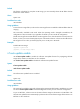
# Change the member ID of an IRF member from 2 to 4.
<Sysname> system-view
[Sysname] irf member 2 renumber 4
Warning: Renumbering the member ID may result in configuration change or loss.
Continue?[Y/N]y
# Before rebooting the device, cancel the change in the preceding example.