
R21xx-HP FlexFabric 11900 IRF Command Reference
16
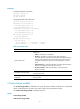
[Sysname] undo irf member 2 renumber
Warning: Renumbering the member ID may result in configuration change or loss.
Continue?[Y/N]y
If you reboot the device after executing the irf member 2 renumber 4 command, the device member ID
changes to 4 at system reboot. Using undo irf member 2 renumber cannot restore the member ID to 2.
Related commands
irf member
irf priority
Use irf priority to assign an IRF member priority to a device in standalone mode.
Use undo irf priority to restore the default.
Syntax
irf priority priority
undo irf priority
Default
IRF member priority is 1.
Views
System view
Predefined user roles
network-admin
Parameters
priority: Specifies an IRF member priority value in the range of 1 to 32.
Usage guidelines
Member priority is used for role election. The greater the priority value, the higher the priority. A member
with higher priority is more likely to be the master.
The member priority configured in standalone mode takes effect after you enable IRF mode.
To change the member priority of a device in IRF mode, use the irf member member-id priority priority
command. The new priority setting takes effect at the next master election, but it does not trigger master
election.
Examples
# Assign IRF member priority 32 to the device in standalone mode.
[Sysname] system-view
[Sysname] irf priority 32
Related commands
irf member priority
irf-port load-sharing mode
Use irf-port load-sharing mode to set the global or port-specific load sharing mode for IRF links.
Use undo irf-port load-sharing mode to restore the default.