
R21xx-HP FlexFabric 11900 IRF Command Reference
18
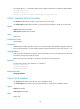
# Configure IRF-port 1/1 to distribute traffic across its physical links based on destination MAC address.
<Sysname> system-view
[Sysname] irf-port 1/1
[Sysname-irf-port1/1] irf-port load-sharing mode destination-mac
irf-port member-id/port-number
Use irf-port member-id/port-number to enter IRF port view in IRF mode.
Use undo irf-port member-id/port-number to removing all port bindings on an IRF port in IRF mode.
Syntax
irf-port member-id/port-number
undo irf-port member-id/port-number
Views
System view
Predefined user roles
network-admin
Parameters
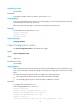
member-id/port-number: Specifies an IRF port on an IRF member. The member-id argument represents
the ID of the IRF member. The port-number argument represents the IRF port index and must be 1 or 2.
Usage guidelines
To set up an IRF link between two devices, you must enter IRF port view to bind physical ports to the IRF
port used by each device for IRF connection.
Before removing all port bindings on an IRF port, shut down all its physical ports.
Examples
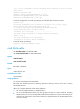
# In IRF mode, enter the view of IRF-port 1 on member 1.
<Sysname> system-view
[Sysname] irf-port 1/1
[Sysname-irf-port1/1]
Related commands
port group interface
irf-port port-number
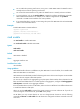
Use irf-port port-number to enter IRF port view in standalone mode.
Use undo irf-port port-number to remove all port bindings on an IRF port in standalone mode.
Syntax
irf-port port-number
undo irf-port port-number
Views
System view