
R21xx-HP FlexFabric 11900 IRF Command Reference
20
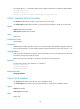
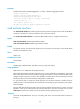
Info : You are recommended to save the configuration now; otherwise, it will be lost after
system reboot.
[Sysname-irf-port1/2] quit
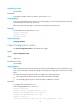
[Sysname] interface ten-gigabitEthernet 1/1/0/27
[Sysname-Ten-GigabitEthernet1/1/0/27] undo shutdown
[Sysname-Ten-GigabitEthernet1/1/0/27] quit
# Save the configuration so the IRF port settings can take effect after the device reboots.
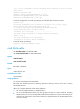
[Sysname] save
The current configuration will be written to the device. Are you sure? [Y/N]:y
Please input the file name(*.cfg)[flash:/startup.cfg]
(To leave the existing filename unchanged, press the enter key):
flash:/startup.cfg exists, overwrite? [Y/N]:y
Validating file. Please wait............................
Saved the current configuration to mainboard device successfully.
Chassis 1 Slot 1:
Save next configuration file successfully.
Configuration is saved to device successfully.
# Activate the IRF port settings.
[Sysname] irf-port-configuration active
mad bfd enable
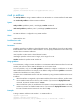
Use mad bfd enable to enable BFD MAD.
Use undo mad bfd enable to disable BFD MAD.
Syntax
mad bfd enable
undo mad bfd enable
Default
BFD MAD is disabled.
Views
VLAN interface view
Predefined user roles
network-admin
Usage guidelines
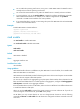
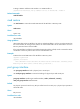
You cannot use BFD MAD with LACP MAD.
BFD MAD uses the BFD protocol for detecting multi-active collisions, and can work with or without
intermediate devices.
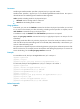
When you configure BFD MAD, follow these guidelines:
• You cannot enable BFD MAD on VLAN-interface 1.
• Do not use the BFD MAD VLAN for any other purpose. No Layer 2 or Layer 3 features, including
ARP and LACP, can work on the BFD MAD-enabled VLAN interface or any port in the VLAN. If you
configure any other feature on the VLAN, neither the configured feature nor the BFD MAD function
can work correctly.