
R21xx-HP FlexFabric 11900 IRF Command Reference
23
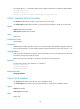
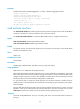
<Sysname> system-view
[Sysname] mad exclude interface ten-gigabitethernet 2/5/0/1
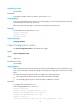
mad ip address
Use mad ip address to assign a MAD IP address to an IRF member on a VLAN interface for BFD MAD.
Use undo mad ip address to delete a MAD IP address.
Syntax
mad ip address ip-address { mask | mask-length } member member-id
undo mad ip address ip-address { mask | mask-length } member member-id
Default
No MAD IP address is configured on any VLAN interface.
Views
VLAN interface view
Predefined user roles
network-admin
Parameters
ip-address: Specifies an IP address in dotted decimal notation. This IP address is bound to an IRF member
for BFD detection and is called a "MAD IP address." Do not specify IP addresses that are used on any
member devices as MAD IP addresses.
mask: Specifies a subnet mask in dotted decimal notation.
mask-length: Specifies a subnet mask in length, in the range of 0 to 32.
member member-id: Specifies an IRF member ID.
Usage guidelines
To use BFD MAD, configure a MAD IP address on a BFD MAD-enabled VLAN interface for each IRF
member, and make sure all the MAD IP addresses are on the same subnet.
To avoid problems, only use the mad ip address command to configure IP addresses on the BFD
MAD-enabled VLAN interface. For example, an IP address configured with the ip address command or
a VRRP virtual IP address can cause problems.
The master tries to establish BFD sessions with other members by using its MAD IP address as the source
IP address:
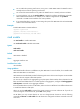
• When the IRF fabric is integrated, only the MAD IP address of the master is effective, and the master
cannot establish a BFD session with any other member. If you execute the display bfd session
command, the state of the BFD sessions is Down.
• When the IRF fabric splits, the IP addresses of the masters in the partitioned IRF fabrics take effect,
and the two masters can establish a BFD session. If you execute the display bfd session command,
the state of the BFD session between the two devices is Up.
Examples
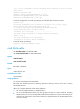
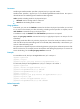
# Assign a MAD IP address to IRF member 1 on VLAN-interface 3.
<Sysname> system-view
[Sysname] interface vlan-interface 3
[Sysname-Vlan-interface3] mad ip address 192.168.0.1 255.255.255.0 member 1