
R21xx-HP FlexFabric 11900 IRF Configuration Guide

12
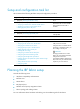
Setup and configuration task list
HP recommends the following IRF fabric setup and configuration procedure:
Setu
p
and confi
g
uration
p
rocedure
Remarks
1. (Required.) Planning the IRF fabric setup
N/A
2. (Required.) Preconfiguring IRF member devices in standalone mode:
{ Assigning a member ID to each IRF member device
{ Specifying a priority for each member device
{ Binding physical ports to IRF ports
Perform this task on each member
device before the IRF mode is
enabled.
3. (Required.) Saving configuration to the next-startup configuration file
N/A
4. (Required.) Connecting physical IRF ports
Make sure that they are
interoperable.
5. (Required.) Setting the operating mode to IRF mode
N/A
6. (Required.) Accessing the IRF fabric
N/A
7. (Optional.) Configuring IRF member devices in IRF mode:
{ Assigning an IRF domain ID to the IRF fabric
{ Changing the member ID of a device
{ Changing the priority of a member device
{ Adding physical ports to an IRF port
{ Enabling IRF auto merge
{ Configuring a member device description
{ Configuring IRF link load sharing mode
{ Configuring IRF bridge MAC persistence
{ Enabling software auto-update for system software image
synchronization
{ Setting the IRF link down report delay
{ Configuring MAD
If IRF ports have not been
configured when a member device
operating in standalone mode, you
must configure its IRF ports.
CAUTION:
Changing member IDs in an IRF
fabric can void member ID-related
configuration and cause
unexpected problems. Before doing
that, make sure you understand the
impact on your live network.
Planning the IRF fabric setup
Consider the following items:
• Hardware compatibility and restrictions
• IRF fabric size
• Master device
• IRF physical ports
• Member ID and priority assignment scheme
• Fabric topology and cabling scheme
For more information about hardware and cabling, see the installation guide for the device.