
R21xx-HP FlexFabric 11900 Layer 2 LAN Switching Command Reference

100
Views
MST region view
Predefined user roles
network-admin
Usage guidelines
Two or more spanning tree devices belong to the same MST region only if they are configured with the
same format selector (0 by default and not configurable), MST region name, and MST region revision
level, have the same VLAN-to-instance mapping entries in the MST region, and are connected through a
physical link.
HP recommends that you use this command to determine whether the MST region configurations to be
activated are correct. Activate them only when they are correct.
Examples
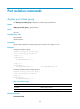
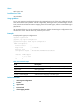
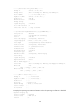
# Display MST region pre-configurations.
<Sysname> system-view
[Sysname] stp region-configuration
[Sysname-mst-region] check region-configuration
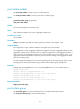
Admin Configuration
Format selector : 0
Region name : 001122334400
Revision level : 0
Configuration digest : 0x3ab68794d602fdf43b21c0b37ac3bca8
Instance VLANs Mapped
0 1, 3 to 4094
15 2
Table 23 Command output
Field Descri
p
tion
Format selector Format selector of the MST region, which is 0 (not configurable).
Region name MST region name.
Revision level Revision level of the MST region.
Instance VLANs Mapped VLAN-to-instance mappings in the MST region.
Related commands
• active region-configuration
• instance
• region-name
• revision-level
• vlan-mapping modulo