
R21xx-HP FlexFabric 11900 Layer 2 LAN Switching Command Reference

102
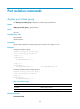
• If you do not specify any MSTI or port, this command displays the spanning tree information of all
MSTIs on all ports. The displayed information is sorted by MSTI ID and by port name in each MSTI.
• If you specify an MSTI but not a port, this command displays the spanning tree information on all
ports in that MSTI. The displayed information is sorted by port name.
• If you specify some ports but not an MSTI, this command displays the spanning tree information of
all MSTIs on the specified ports. The displayed information is sorted by MSTI ID and by port name
in each MSTI.
• If you specify both an MSTI ID and a port list, this command displays the spanning tree information
on the specified ports in the specified MSTI. The displayed information is sorted by port name.
Examples
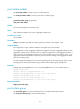
# In MSTP mode, display the brief spanning tree status and statistics of MSTI 0 on ports
Ten-GigabitEthernet 1/0/1 through Ten-GigabitEthernet 1/0/4.
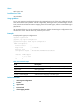
<Sysname> display stp instance 0 interface ten-gigabitethernet 1/0/1 to
ten-gigabitethernet 1/0/4 brief
MSTID Port Role STP State Protection
0 Ten-GigabitEthernet1/0/1 ALTE DISCARDING LOOP
0 Ten-GigabitEthernet1/0/2 DESI FORWARDING NONE
0 Ten-GigabitEthernet1/0/3 DESI FORWARDING NONE
0 Ten-GigabitEthernet1/0/4 DESI FORWARDING NONE
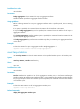
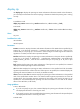
Table 24 Command output
Field Descri
p
tion
MSTID MSTI ID in the MST region.
Port Port name, corresponding to each MSTI or VLAN.
Role
Port role:
• ALTE—The port is an alternate port.
• BACK—The port is a backup port.
• ROOT—The port is a root port.
• DESI—The port is a designated port.
• MAST—The port is a master port.
• DISA—The port is disabled.
STP State
Spanning tree status on the port:
• FORWARDING—The port can receive and send BPDUs and also
forward user traffic.
• DISCARDING—The port can receive and send BPDUs but cannot
forward user traffic.
• LEARNING—The port is in a transitional state. It can receive and
send BPDUs but cannot forward user traffic.
Protection
Protection type on the port:
• ROOT—Root guard.
• LOOP—Loop guard.
• BPDU—BPDU guard.
• NONE—No protection.
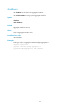
# In MSTP mode, display the detailed spanning tree status and statistics of all MSTIs on all ports.
<Sysname> display stp