
R21xx-HP FlexFabric 11900 Layer 2 LAN Switching Command Reference

121
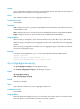
• When the private standard is selected for path cost calculation, the value range for the cost
argument is 1 to 200000.
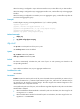
Usage guidelines
Path cost is an important factor in spanning tree calculation. Setting different path costs for a port in
MSTIs allows VLAN traffic flows to be forwarded along different physical links, which results in
VLAN-based load balancing.
The path cost setting of a port can affect the role selection of the port. When the path cost of a port is
changed, the system calculates the role of the port and initiates a state transition.
When the setting is configured in Layer 2 Ethernet interface view, it takes effect only on that interface.
When the setting is configured in Layer 2 aggregate interface view, it takes effect only on the aggregate
interface.
When the setting is configured on a member port in an aggregation group, is takes effect only after the
port leaves the aggregation group.
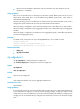
Examples
# In MSTP mode, set the path cost of port Ten-GigabitEthernet 1/0/3 in MSTI 2 to 200.
<Sysname> system-view
[Sysname] interface ten-gigabitethernet 1/0/3
[Sysname-Ten-GigabitEthernet1/0/3] stp instance 2 cost 200
Related commands
• display stp
• stp pathcost-standard
stp edged-port
Use stp edged-port to configure the ports as edge ports.
Use undo stp edged-port to configure the ports as non-edge ports.
Syntax
stp edged-port
undo stp edged-port
Default
All ports are non-edge ports.
Views
Layer 2 Ethernet interface view, Layer 2 aggregate interface view
Predefined user roles
network-admin
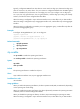
Usage guidelines
If a port directly connects to a user terminal rather than to another device or a shared LAN segment, this
port is regarded as an edge port. In case the network topology changes, an edge port does not cause
a temporary loop. You can enable the port to transit to the forwarding state rapidly by configuring it as
an edge port. HP recommends that you configure ports that directly connect to user terminals as edge
ports.