
R21xx-HP FlexFabric 11900 Layer 2 LAN Switching Command Reference
124
stp global enable
Use stp global enable to enable the spanning tree feature globally.
Use undo stp global enable to disable the spanning tree feature globally.
Syntax
stp global enable
undo stp global enable
Default
The spanning tree feature is disabled globally.
Views
System view
Predefined user roles
network-admin
Usage guidelines
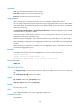
When you enable the spanning tree feature, the device operates in STP, RSTP, or MSTP mode, depending
on the spanning tree mode setting.
When the spanning tree feature is enabled, the device dynamically maintains the spanning tree status of
VLANs based on received configuration BPDUs. When the spanning tree feature is disabled, the device
stops maintaining the spanning tree status.
Examples
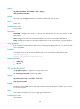
# Enable the spanning tree feature globally.
<Sysname> system-view
[Sysname] stp global enable
Related commands
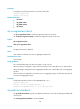
• stp enable
• stp mode
stp global mcheck
Use stp global mcheck to perform the mCheck operation globally.
Syntax
stp global mcheck
Views
System view
Predefined user roles
network-admin
Usage guidelines
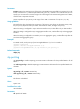
If a port on a device running MSTP or RSTP connects to an STP device, this port automatically transits to
the STP mode when the port receives STP BPDUs. However, if the peer STP device is shut down or
removed and the local device cannot detect the change, the local device cannot automatically transit