
R21xx-HP FlexFabric 11900 Layer 2 LAN Switching Command Reference
125
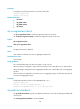
back to the original mode. In this case, you can perform an mCheck operation to forcibly transit the port
to operate in the original mode.
The device operates in STP, RSTP, or MSTP mode depending on the spanning tree mode setting.
The stp global mcheck command is effective only when the device operates in MSTP or RSTP mode.
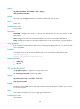
Examples
# Perform mCheck globally.
<Sysname> system-view
[Sysname] stp global mcheck
Related commands
• stp mcheck
• stp mode
stp loop-protection
Use stp loop-protection to enable the loop guard function on the ports.
Use undo stp loop-protection to disable the loop guard function on the ports.
Syntax
stp loop-protection
undo stp loop-protection
Default
The loop guard function is disabled.
Views
Layer 2 Ethernet interface view, Layer 2 aggregate interface view
Predefined user roles
network-admin
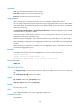
Usage guidelines
On a port, the loop guard function is mutually exclusive with the root guard function or the edge port
setting, and the one that is configured first takes effect.
When the setting is configured in Layer 2 Ethernet interface view, it takes effect only on that interface.
When the setting is configured in Layer 2 aggregate interface view, it takes effect only on the aggregate
interface.
When the setting is configured on a member port in an aggregation group, it takes effect only after the
port leaves the aggregation group.
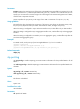
Examples
# Enable the loop guard function on Ten-GigabitEthernet 1/0/1.
<Sysname> system-view
[Sysname] interface ten-gigabitethernet 1/0/1
[Sysname-Ten-GigabitEthernet1/0/1] stp loop-protection
Related commands
• stp edged-port