
R21xx-HP FlexFabric 11900 Layer 2 LAN Switching Command Reference
128
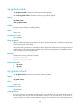
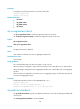
Examples
# Configure the spanning tree device to operate in STP mode.
<Sysname> system-view
[Sysname] stp mode stp
Related commands
• stp enable
• stp global enable
• stp global mcheck
• stp mcheck
stp no-agreement-check
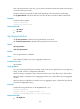
Use stp no-agreement-check to enable No Agreement Check on the ports.
Use undo stp no-agreement-check to disable No Agreement Check on the ports.
Syntax
stp no-agreement-check
undo stp no-agreement-check
Default
No Agreement Check is disabled.
Views
Layer 2 Ethernet interface view, Layer 2 aggregate interface view
Predefined user roles
network-admin
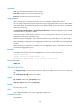
Usage guidelines
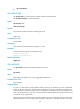
This command takes effect only after you enable it on the root port.
When the setting is configured in Layer 2 Ethernet interface view, it takes effect only on that interface.
When the setting is configured in Layer 2 aggregate interface view, it takes effect only on the aggregate
interface.
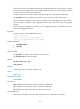
When the setting is configured on a member port in an aggregation group, it takes effect only after the
port leaves the aggregation group.
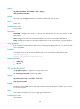
Examples
# Enable No Agreement Check on Ten-GigabitEthernet 1/0/1.
<Sysname> system-view
[Sysname] interface ten-gigabitethernet 1/0/1
[Sysname-Ten-GigabitEthernet1/0/1] stp no-agreement-check
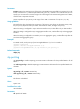
stp pathcost-standard
Use stp pathcost-standard to specify a standard for the device to use when calculating the default path
costs for ports.
Use undo stp pathcost-standard to restore the default.