
R21xx-HP FlexFabric 11900 Layer 2 LAN Switching Command Reference
132
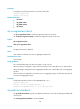
instance instance-list: Specifies the MSTIs by an instance list, in the format of instance-list = { instance-id
[ to instance-id ] }&<1-10>, where &<1-10> indicates that you can specify up to 10 instances or instance
ranges. The value range for the instance-id argument is 0 to 4094, and the value 0 represents the CIST.
Examples
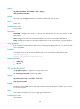
# In MSTP mode, enable outputting port state transition information for MSTI 2.
<Sysname> system-view
[Sysname] stp port-log instance 2
%Aug 16 00:49:41:856 2011 Sysname MSTP/3/MSTP_DISCARDING: Instance 2's port
Ten-GigabitEthernet1/0/1 has been set to discarding state.
%Aug 16 00:49:41:856 2011 Sysname MSTP/3/MSTP_FORWARDING: Instance 2's port
Ten-GigabitEthernet1/0/2 has been set to forwarding state.
The output shows that Ten-GigabitEthernet 1/0/1 in MSTI 2 transited to the discarding state and
Ten-GigabitEthernet 1/0/2 in MSTI 2 transited to the forwarding state.
stp priority
Use stp priority to set the priority of the device.
Use undo stp priority to restore the default priority.
Syntax
stp [ instance instance-list ] priority priority
undo stp [ instance instance-list ] priority
Default
The device priority is 32768.
Views
System view
Predefined user roles
network-admin
Parameters
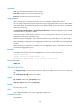
instance instance-list: Sets the priority of the device in the MSTIs that are specified by an instance list, in
the format of instance-list = { instance-id [ to instance-id ] }&<1-10>, where &<1-10> indicates that you
can specify up to 10 instances or instance ranges. The value range for the instance-id argument is 0 to
4094, and the value 0 represents the CIST.
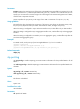
priority: Specifies the device priority in the range of 0 to 61440 in increments of 4096 (as in 0, 4096,
8192). You can set up to 16 priority values on the device. The smaller the value, the higher the device
priority.
Examples
# In MSTP mode, set the device priority to 4096 in MSTI 1.
<Sysname> system-view
[Sysname] stp instance 1 priority 4096
stp region-configuration
Use stp region-configuration to enter MST region view.