
R21xx-HP FlexFabric 11900 Layer 2 LAN Switching Command Reference

137
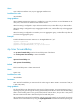
Examples
# Disable the TC-BPDU attack guard function for the device.
<Sysname> system-view
[Sysname] undo stp tc-protection
Related commands
stp tc-protection threshold
stp tc-protection threshold
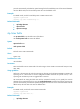
Use stp tc-protection threshold to configure the maximum number of forwarding address entry flushes
that the device can perform within a certain interval (every 10 seconds).
Use undo stp tc-protection threshold to restore the default.
Syntax
stp tc-protection threshold number
undo stp tc-protection threshold
Default
By default, the device can perform a maximum of six forwarding address entry flushes every 10 seconds.
Views
System view
Predefined user roles
network-admin
Parameters
number: Sets the maximum number of immediate forwarding address entry flushes that the device can
perform within a certain interval (10 seconds). The value range is 1 to 255.
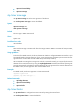
Examples
# Configure the device to perform up to 10 forwarding address entry flushes every 10 seconds.
<Sysname> system-view
[Sysname] stp tc-protection threshold 10
Related commands
stp tc-protection
stp tc-restriction
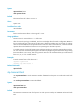
Use stp tc-restriction to enable TC-BPDU transmission restriction.
Use undo stp tc-restriction to disable TC-BPDU transmission restriction.
Syntax
stp tc-restriction
undo stp tc-restriction
Default
TC-BPDU transmission restriction is disabled.