
R21xx-HP FlexFabric 11900 Layer 2 LAN Switching Command Reference


154
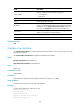
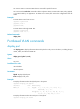
Field Description
Route interface
Indicates whether the VLAN interface is configured.
• Not configured.
• Configured.
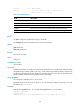
Description Description of the VLAN.
Name Name configured for the VLAN.
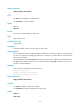
IP address
Primary IP address of the VLAN interface (available only when an IP
address is configured for the VLAN interface). To display secondary
IP addresses, use the display interface vlan-interface command in
any view or the display this command in VLAN interface view.
Subnet mask
Subnet mask of the primary IP address (available only when an IP
address is configured for the VLAN interface).
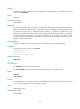
Tagged ports Ports through which VLAN packets are sent tagged.
Untagged ports Ports through which VLAN packets are sent untagged.
Related commands
vlan
interface vlan-interface
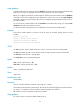
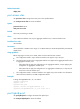
Use interface vlan-interface to create a VLAN interface and enter its view or to enter the view of an
existing VLAN interface.
Use undo interface vlan-interface to delete the specified VLAN interface.
Syntax
interface vlan-interface vlan-interface-id
undo interface vlan-interface vlan-interface-id
Views
System view
Predefined user roles
network-admin
Parameters
vlan-interface-id: Specifies a VLAN interface number in the range of 1 to 4094.
Usage guidelines
Create the VLAN before you create the VLAN interface.
Examples
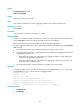
# Create VLAN interface 2, and enter its view.
<Sysname> system-view
[Sysname] vlan 2
[Sysname-vlan2] quit
[Sysname] interface vlan-interface 2
[Sysname-Vlan-interface2]