
R21xx-HP FlexFabric 11900 Layer 2 LAN Switching Command Reference

194
Views
Layer 2 Ethernet interface view, Layer 3 Ethernet interface view
Predefined user roles
network-admin
Parameters
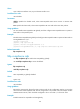
disable: Specifies the disable mode, where CDP-compatible LLDP cannot receive or transmit CDP
packets.
txrx: Specifies the TxRx mode, where CDP-compatible LLDP can send and receive CDP packets.
Usage guidelines
You must enable CDP-compatible LLDP globally and then configure CDP-compatible LLDP to operate in
TxRx mode on the specified ports.
Examples
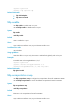
# Enable CDP-compatible LLDP globally and configure CDP-compatible LLDP to operate in TxRx mode on
Ten-GigabitEthernet 1/0/1.
<Sysname> system-view
[Sysname] lldp compliance cdp
[Sysname] interface ten-gigabitethernet 1/0/1
[Sysname-Ten-GigabitEthernet1/0/1] lldp compliance admin-status cdp txrx
Related commands
lldp compliance cdp
lldp compliance cdp
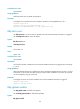
Use lldp compliance cdp to enable CDP compatibility globally.
Use undo lldp compliance cdp to restore the default.
Syntax
lldp compliance cdp
undo lldp compliance cdp
Default
CDP compatibility is globally disabled.
Views
System view
Predefined user roles
network-admin
Usage guidelines
Because the maximum TTL allowed by CDP is 255 seconds, the TTL configuration must be no more than
255 seconds for CDP-compatible LLDP. The TTL configuration is the product of the TTL multiplier and the
LLDPDU transmit interval, which should be configured to be no more than 1/3 of the TTL value.
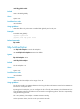
Examples
# Enable LLDP to be compatible with CDP globally.