
R21xx-HP FlexFabric 11900 Layer 2 LAN Switching Configuration Guide


115
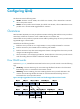
• To set the 802.1p priority in SVLAN tags, configure a QoS policy as described in "Setting the
802.1p priority in SVLAN tags."
Protocols and standards
• IEEE 802.1Q, IEEE Standard for Local and Metropolitan Area Networks-Virtual Bridged Local Area
Networks
• IEEE 802.1ad, IEEE Standard for Local and Metropolitan Area Networks-Virtual Bridged Local Area
Networks-Amendment 4: Provider Bridges
Restrictions and guidelines
• On a QinQ-enabled port, do not use VLAN mappings to perform VLAN tag replacement. The
device cannot perform VLAN tag insertion together with the VLAN tag replacement.
• If QinQ and one-to-two VLAN mapping conflicts on a port, VLAN mapping takes effect.
• EVB and QinQ are mutually exclusive. Do not enable the two features both on a port. For more
information about EVB, see EVB Configuration Guide.
Configuring basic QinQ features
Enable QinQ on customer-side ports of PEs.
Enabling QinQ
A QinQ-enabled port tags an incoming frame with its PVID.
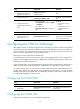
To enable QinQ:
Ste
p
Command Remarks
1. Enter system view.
system-view N/A
2. Enter Layer 2 Ethernet
interface view or Layer 2
aggregate interface view.
interface interface-type
interface-number
N/A
3. Enable QinQ.
qinq enable By default, QinQ is disabled.
Configuring transparent transmission for VLANs
You can exclude traffic of a VLAN (for example, the management VLAN) from the QinQ tagging action.
To avoid transmission failure for an excluded VLAN, follow these configuration guidelines:
• Set the link type of the port to trunk or hybrid, and assign the port to the VLAN.
• Make sure all ports on the traffic path permit the VLAN to pass through.
• Do not configure any other VLAN manipulation action for the VLAN on the port.
To configure transparent transmission for a list of VLANs:
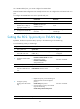
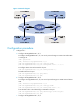
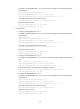
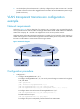
Ste
p
Command Remarks
1. Enter system view.
system-view N/A