
R21xx-HP FlexFabric 11900 Layer 2 LAN Switching Configuration Guide


155
2.
Configure Switch B:
# Enable LLDP globally.
<SwitchB> system-view
[SwitchB] lldp global enable
# Enable LLDP on Ten-GigabitEthernet 1/0/1. (You can skip this step because LLDP is enabled on
ports by default.) Set the LLDP operating mode to Tx.
[SwitchB] interface ten-gigabitethernet 1/0/1
[SwitchB-Ten-GigabitEthernet1/0/1] lldp enable
[SwitchB-Ten-GigabitEthernet1/0/1] lldp admin-status tx
[SwitchB-Ten-GigabitEthernet1/0/1] quit
3. Verify the configuration:
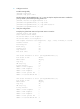
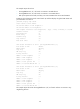
# Display the global LLDP status and port LLDP status on Switch A.
[SwitchA] display lldp status
Global status of LLDP: Enable
The current number of LLDP neighbors: 2
The current number of CDP neighbors: 0
LLDP neighbor information last changed time: 0 days, 0 hours, 4 minutes, 40 seconds
Transmit interval : 30s
Hold multiplier : 4
Reinit delay : 2s
Transmit delay : 2s
Trap interval : 5s
Fast start times : 3
LLDP status information of Port 1 [Ten-GigabitEthernet1/0/1]:
Port status of LLDP : Enable
Admin status : RX_Only
Trap flag : No
MED trap flag : No
Polling interval : 0s
Number of LLDP neighbors : 1
Number of MED neighbors : 1
Number of CDP neighbors : 0
Number of sent optional TLV : 0
Number of received unknown TLV : 0
LLDP status information of Port 2 [Ten-GigabitEthernet1/0/2]:
Port status of LLDP : Enable
Admin status : RX_Only
Trap flag : No
MED trap flag : No
Polling interval : 0s
Number of LLDP neighbors : 1
Number of MED neighbors : 0
Number of CDP neighbors : 0
Number of sent optional TLV : 0
Number of received unknown TLV : 3