
R21xx-HP FlexFabric 11900 Layer 2 LAN Switching Configuration Guide

89
this port in the MSTI. If the port receives no BPDUs with a higher priority within twice the forwarding delay,
it reverts to its original state.
On a port, the loop guard function, the root guard function, and the edge port setting are mutually
exclusive, and the one configured first takes effect.
Configure root guard on a designated port.
To enable root guard:
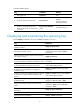
Step Command Remarks
1. Enter system view.
system-view N/A
2. Enter Layer 2 Ethernet or
aggregate interface view.
interface interface-type interface-number N/A
3. Enable the root guard
function.
stp root-protection
By default, root guard is
disabled.
Enabling loop guard
By continuing to receive BPDUs from the upstream device, a device can maintain the state of the root port
and blocked ports. However, link congestion or unidirectional link failures might cause these ports to fail
to receive BPDUs from the upstream devices. The device reselects the port roles: Those ports in forwarding
state that failed to receive upstream BPDUs become designated ports, and the blocked ports transit to the
forwarding state, resulting in loops in the switched network. The loop guard function can suppress the
occurrence of such loops.
The initial state of a loop guard-enabled port is discarding in every MSTI. When the port receives BPDUs,
it correctly transits its state. Otherwise, it stays in the discarding state to prevent temporary loops.
Do not enable loop guard on a port that connects user terminals. Otherwise, the port stays in the
discarding state in all MSTIs because it cannot receive BPDUs.
On a port, the loop guard function is mutually exclusive with the root guard function or the edge port
setting.
Configure loop guard on the root port and alternate ports of a device.
To enable loop guard:
Step Command Remarks
1. Enter system view.
system-view N/A
2. Enter Layer 2 Ethernet or
aggregate interface view.
interface interface-type interface-number N/A
3. Enable the loop guard
function for the ports.
stp loop-protection
By default, loop guard is
disabled.
Configuring port role restriction
CAUTION:
Use this feature with caution, because enabling port role restriction on a port might affect the connectivity
of the spanning tree topology.