
R21xx-HP FlexFabric 11900 Layer 2 LAN Switching Configuration Guide

91
To enable TC-BPDU guard:
Step Command Remarks
1. Enter system view.
system-view N/A
2. Enable the TC-BPDU guard function.
stp tc-protection
By default, TC-BPDU guard is
enabled.
HP recommends not
disabling this feature.
3. (Optional.) Configure the maximum
number of forwarding address entry
flushes that the device can perform every
10 seconds.
stp tc-protection threshold
number
The default setting is 6.
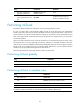
Displaying and maintaining the spanning tree
Execute display commands in any view and reset command in user view.
Task Command
Display information about ports blocked by spanning tree
protection functions.
display stp abnormal-port
Display BPDU statistics on ports.
display stp bpdu-statistics [ interface
interface-type interface-number [ instance
instance-list ] ]
Display information about ports shut down by spanning
tree protection functions.
display stp down-port
Display the historical information of port role calculation
for the specified MSTI or all MSTIs (in standalone mode).
display stp [ instance instance-list ] history [ slot
slot-number ]
Display the historical information of port role calculation
for the specified MSTI or all MSTIs (in IRF mode).
display stp [ instance instance-list ] history [ chassis
chassis-number slot slot-number ]
Display the statistics of TC/TCN BPDUs sent and received
by all ports in the specified MSTI or all MSTIs (in
standalone mode).
display stp [ instance instance-list ] tc [ slot
slot-number ]
Display the statistics of TC/TCN BPDUs sent and received
by all ports in the specified MSTI or all MSTIs (in IRF
mode).
display stp [ instance instance-list ] tc [ chassis
chassis-number slot slot-number ]
Display the spanning tree status and statistics (in
standalone mode).
display stp [ instance instance-list ] [ interface
interface-list | slot slot-number ] [ brief ]
Display the spanning tree status and statistics (n IRF
mode).
display stp [ instance instance-list ] [ interface
interface-list | chassis chassis-number slot
slot-number ] [ brief ]
Display the MST region configuration information that has
taken effect.
display stp region-configuration
Display the root bridge information of all MSTIs. display stp root
Clear the spanning tree statistics. reset stp [ interface interface-list ]