
R21xx-HP FlexFabric 11900 Layer 3 IP Routing Command Reference
176
Usage guidelines
Level-1 and Level-2 hello packets are sent independently on a broadcast network, so you need to specify
an interval for each level. On a P2P link, Level-1 and Level-2 packets are both sent in P2P hello packets,
and you need not specify an interval for each level.
You can configure keywords level-1 and level-2 only on broadcast interfaces. Before you do that, enable
IS-IS on the interface.
The shorter the interval, the more system resources will be occupied. Configure a proper interval as
needed.
If no level is specified, the hello interval applies to both Level-1 and Level-2.
Examples
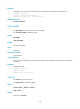
# Configure Level-2 hello packets to be sent every 20 seconds over VLAN-interface 10.
<Sysname> system-view
[Sysname] interface vlan-interface 10
[Sysname-Vlan-interface10] isis timer hello 20 level-2
Related commands
isis timer holding-multiplier
isis timer holding-multiplier
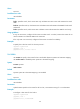
Use isis timer holding-multiplier to specify the IS-IS hello multiplier.
Use undo isis timer holding-multiplier to remove the configuration.
Syntax
isis timer holding-multiplier value [ level-1 | level-2 ]
undo isis timer holding-multiplier [ level-1 | level-2 ]
Default
The default IS-IS hello multiplier is 3.
Views
Interface view
Predefined user roles
network-admin
Parameters
value: Specifies the number of hello intervals, in the range of 3 to 1000.
level-1: Applies the number to the Level-1 IS-IS neighbor.
level-2: Applies the number to the Level-2 IS-IS neighbor.
Usage guidelines
With the IS-IS hello multiplier configured, a router can uses hello packets to notify its neighbor router of
the adjacency hold time (hello multiplier times hello interval). If the neighbor router does not receive any
hello packets from this router within the hold time, it declares the adjacency down. You can adjust the
adjacency hold time by changing the hello multiplier or the hello interval on an interface.