
R21xx-HP FlexFabric 11900 Layer 3 IP Routing Command Reference
197
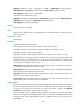
Syntax
balance number
undo balance
Default
Load balancing is not enabled.
Views
BGP IPv4 unicast address family view, BGP-VPN IPv4 unicast address family view, BGP IPv6 unicast
address family view, BGP-VPN IPv6 unicast address family view
Predefined user roles
network-admin
Parameters
number: Specifies the maximum number of BGP ECMP routes for load balancing. When it is set to 1,
load balancing is disabled.
Usage guidelines
Unlike IGP, BGP has no explicit metric for making load balancing decision. Instead, BGP implements
load balancing by modifying route selection rules.
BGP performs load balancing over the routes that meet the following requirements:
• The routes must have the same AS_PATH, ORIGIN, LOCAL_PREF, and MED attributes.
• The routes are all reflected or not reflected by the route reflector.
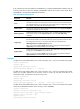
The value range for the number argument depends on the max-ecmp-num command. Suppose you set
the maximum number of ECMP routes to m by using the max-ecmp-num command and reboot the
device. The number argument in the balance command is in the range of 1 to m.
Examples
# In BGP IPv4 unicast address family view, enable load balancing and specify the maximum number of
BGP ECMP routes used for load balancing as 2.
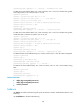
<Sysname> system-view
[Sysname] bgp 100
[Sysname-bgp] ipv4-family unicast
[Sysname-bgp-ipv4] balance 2
# In BGP-VPN IPv6 unicast address family view, enable load balancing and specify the maximum
number of BGP ECMP routes for load balancing as 2.
<Sysname> system-view
[Sysname] bgp 100
[Sysname-bgp] ip vpn-instance vpn1
[Sysname-bgp-vpn1] ipv6-family unicast
[Sysname-bgp-ipv6-vpn1] balance 2
Related commands
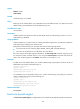
max-ecmp-num
bestroute as-path-neglect
Use bestroute as-path-neglect to configure BGP to not consider the AS_PATH during best route selection.