
R21xx-HP FlexFabric 11900 Layer 3 IP Routing Command Reference
290
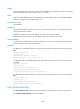
Default
The router sets itself as the next hop for routes sent to an EBGP peer or peer group, but does not set itself
as the next hop for routes sent to an IBGP peer or peer group.
Views
BGP IPv4 unicast address family view, BGP-VPN IPv4 unicast address family view, BGP VPNv4 address
family view, BGP IPv6 unicast address family view
Predefined user roles
network-admin
Parameters
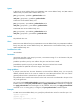
group-name: Specifies a peer group by its name, a case-sensitive string of 1 to 47 characters. The peer
group must have been created.
ip-address: Specifies a peer by its IP address. The peer must have been created.
ipv6-address: Specifies a peer by its IPv6 address. The peer must have been created.
Usage guidelines
To make sure that an IBGP peer can find the next hop, you can use this command to specify the router
as the next hop for routes sent to the IBGP peer.
Examples
# In BGP IPv4 unicast address family view, specify the router as the next hop for routes sent to peer group
test.
<Sysname> system-view
[Sysname] bgp 100
[Sysname-bgp] ipv4-family unicast
[Sysname-bgp-ipv4] peer test next-hop-local
# In BGP-VPN IPv4 unicast address family view, specify the router as the next hop for routes sent to peer
group test.
<Sysname> system-view
[Sysname] bgp 100
[Sysname-bgp] ip vpn-instance vpn1
[Sysname-bgp-vpn1] ipv4-family unicast
[Sysname-bgp-ipv4-vpn1] peer test next-hop-local
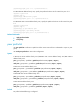
# In BGP IPv6 unicast address family view, specify the router as the next hop for routes sent to peer group
test.
<Sysname> system-view
[Sysname] bgp 100
[Sysname-bgp] ipv6-family unicast
[Sysname-bgp-ipv6] peer test next-hop-local
peer preferred-value
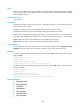
Use peer preferred-value to specify a preferred value for routes received from a peer or peer group.
Use undo peer preferred-value to restore the default.