
R21xx-HP FlexFabric 11900 Layer 3 IP Routing Command Reference
296
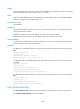
Predefined user roles
network-admin
Parameters
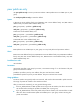
group-name: Specifies a peer group by its name, a case-sensitive string of 1 to 47 characters. The peer
group must have been created.
ip-address: Specifies a peer by its IP address. The peer must have been created.
ipv6-address: Specifies a peer by its IPv6 address. The peer must have been created.
Usage guidelines
Using route reflectors can solve the issue brought by too many IBGP connections. In an AS, a router acts
as a route reflector, and other routers act as clients connecting to the route reflector. The route reflector
forwards the routing information received from a client to other clients. In this way, all clients can receive
routing information from one another without establishing BGP sessions.
Examples
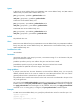
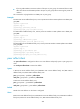
# In BGP IPv4 unicast address family view, configure the local device as a route reflector and specify the
IBGP peer group test as a client.
<Sysname> system-view
[Sysname] bgp 100
[Sysname-bgp] ipv4-family unicast
[Sysname-bgp-ipv4] peer test reflect-client
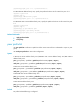
# In BGP VPNv4 address family view, configure the local device as a route reflector and specify the IBGP
peer group test as a client.
<Sysname> system-view
[Sysname] bgp 100
[Sysname-bgp] address-family vpnv4
[Sysname-bgp-vpnv4] peer test reflect-client
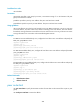
# In BGP-VPN IPv6 unicast address family view, configure the local device as a route reflector and specify
the IBGP peer group test as a client.
<Sysname> system-view
[Sysname] bgp 100
[Sysname-bgp] ip vpn-instance vpn1
[Sysname-bgp-vpn1] ipv6-family unicast
[Sysname-bgp-ipv6-vpn1] peer test reflect-client
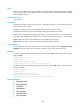
Related commands
• reflect between-clients
• reflector cluster-id
peer route-limit
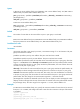
Use peer route-limit to specify the maximum number of routes that can be received from a peer or peer
group.
Use undo peer route-limit to restore the default.