
R21xx-HP FlexFabric 11900 Layer 3 IP Routing Command Reference

396
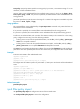
Field Descri
p
tion
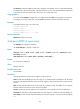
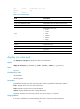
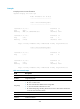
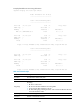
Next Hop Next hop.
Interface Outbound interface.
ExitIndex Outbound interface index.
ipv6 default-route-advertise
Use ipv6 default-route-advertise to generate a Level-1 or Level-2 IPv6 IS-IS default route.
Use undo ipv6 default-route-advertise to disable generating a default route.
Syntax
ipv6 default-route-advertise [ [ level-1 | level-1-2 | level-2 ] | route-policy route-policy-name ] *
undo ipv6 default-route-advertise
Default
No IPv6 IS-IS default route is generated.
Views
IS-IS view
Predefined user roles
network-admin
Parameters
level-1: Generates a default route for Level-1.
level-1-2: Generates a default route for Level-1-2.
level-2: Generates a default route for Level-2.
route-policy route-policy-name: Specifies a routing policy by its name, a case-sensitive string of 1 to 63
characters.
Usage guidelines
If no level is specified, this command generates a Level-2 default route.
You can use a routing policy to specify a level for the default route. The default route can be generated
only when the routing policy is matched by a route entry in the routing table. The apply isis level-1
command in routing policy view specifies Level-1. The apply isis level-2 command in routing policy view
specifies Level-2. The apply isis level-1-2 command in routing policy view specifies both Level-1 and
Level-2.
Examples
# Configure the router to generate a default route in a Level-2 LSP.
<Sysname> system-view
[Sysname] isis 1
[Sysname-isis-1] ipv6 default-route-advertise
Related commands
apply isis