
R21xx-HP FlexFabric 11900 Layer 3 IP Routing Configuration Guide

328
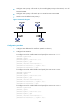
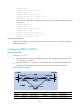
• Configure router priority 2 for Switch C, the second highest priority on the network, so it will
become the BDR.
• Configure router priority 0 for Switch B, so it cannot become a DR or BDR.
• Switch D uses the default router priority 1.
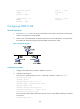
Figure 77 Network diagram
Configuration procedure
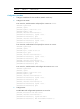
1. Configure IPv6 addresses for interfaces. (Details not shown.)
2. Configure basic OSPFv3:
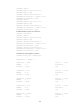
# Configure Switch A: enable OSPFv3 and specify the router ID as 1.1.1.1.
<SwitchA> system-view
[SwitchA] ospfv3
[SwitchA-ospfv3-1] router-id 1.1.1.1
[SwitchA-ospfv3-1] quit
[SwitchA] interface vlan-interface 100
[SwitchA-Vlan-interface100] ospfv3 1 area 0
[SwitchA-Vlan-interface100] quit
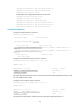
# Configure Switch B: enable OSPFv3 and specify the router ID as 2.2.2.2.
<SwitchB> system-view
[SwitchB] ospfv3
[SwitchB-ospfv3-1] router-id 2.2.2.2
[SwitchB-ospfv3-1] quit
[SwitchB] interface vlan-interface 200
[SwitchB-Vlan-interface200] ospfv3 1 area 0
[SwitchB-Vlan-interface200] quit
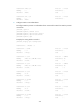
# Configure Switch C: enable OSPFv3 and specify the router ID as 3.3.3.3.
<SwitchC> system-view
[SwitchC] ospfv3
[SwitchC-ospfv3-1] router-id 3.3.3.3
[SwitchC-ospfv3-1] quit
[SwitchC] interface vlan-interface 100
[SwitchC-Vlan-interface100] ospfv3 1 area 0