
R21xx-HP FlexFabric 11900 Layer 3 IP Services Command Reference




249
Usage guidelines
For a manual tunnel interface, you must configure the destination address. For an automatic tunnel
interface, you do not need to configure the destination address.
The tunnel destination address must be the address of the receiving interface on the tunnel peer. It is used
as the destination address of tunneled packets.
The destination address of the local tunnel interface must be the source address of the peer tunnel
interface, and vice versa.
Examples
# VLAN-interface 100 of Sysname 1 uses the IP address 193.101.1.1 and VLAN-interface 100 of Sysname
2 uses the IP address 192.100.1.1. Configure the source address 193.101.1.1 and destination address
192.100.1.1 for the tunnel interface of Sysname 1.
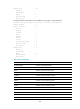
<Sysname1> system-view
[Sysname1] interface tunnel 1 mode ipv6-ipv4
[Sysname1-Tunnel1] source 193.101.1.1
[Sysname1-Tunnel1] destination 192.100.1.1
# Configure the source address 192.100.1.1 and destination address 193.101.1.1 for the tunnel interface
of Sysname 2.
<Sysname2> system-view
[Sysname2] interface tunnel 1 mode ipv6-ipv4
[Sysname2-Tunnel1] source 192.100.1.1
[Sysname2-Tunnel1] destination 193.101.1.1
Related commands
• display interface tunnel
• interface tunnel
• source
display interface tunnel
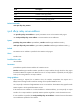
Use display interface tunnel to display information about tunnel interfaces, including the source address,
destination address, and tunnel mode.
Syntax
display interface [ tunnel [ number ] ] [ brief [ description ] ]
Views
Any view
Predefined user roles
network-admin
network-operator