
R21xx-HP FlexFabric 11900 Layer 3 IP Services Configuration Guide






143
If the device receives large numbers of malicious packets, its performance degrades greatly because it
must send back ICMP Time Exceeded messages. To prevent such attacks, disable sending ICMPv6 Time
Exceeded messages.
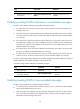
To enable sending ICMPv6 time exceeded messages:
Ste
p
Command
Remarks
1. Enter system view.
system-view N/A
2. Enable sending ICMPv6 time
exceeded messages.
ipv6 hoplimit-expires enable The default setting is disabled.
Enabling sending ICMPv6 redirect messages
Upon receiving a packet from a host, the device sends an ICMPv6 redirect message to inform a better
next hop to the host when the following conditions are met:
• The interface receiving the packet is the interface forwarding the packet.
• The selected route is not created or modified by any ICMPv6 redirect message.
• The selected route is not a default route.
• The forwarded packet does not contain the routing extension header.
The ICMPv6 redirect function simplifies host management by enabling hosts that hold few routes to
gradually optimize their routing table. However, to avoid adding too many routes on hosts, this function
is disabled by default.
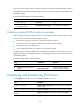
To enable sending ICMPv6 redirect messages:
Ste
p
Command
Remarks
1. Enter system view.
system-view N/A
2. Enable sending ICMPv6 redirect
messages.
ipv6 redirects enable
By default, sending ICMPv6
redirect messages is disabled.
Displaying and maintaining IPv6 basics
Execute display commands in any view and reset commands in user view.
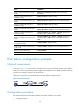
Task Command
Display IPv6 FIB entries.
display ipv6 fib [ vpn-instance vpn-instance-name ] [ ipv6-address
[ prefix-length ] ]
Display IPv6 information for the interface.
display ipv6 interface [ interface-type [ interface-number ] ] [ brief ]
Display IPv6 prefix information for the
interface.
display ipv6 interface interface-type interface-number prefix