
R21xx-HP FlexFabric 11900 Layer 3 IP Services Configuration Guide





44
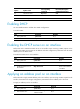
Option Option name
Corresponding
command
Recommended option
command
p
arameters
66 TFTP server name tftp-server ascii
67 Boot file name bootfile-name ascii
43 Vendor Specific Information N/A hex
Enabling DHCP
You must enable DHCP to validate other DHCP configurations.
To enable DHCP:
Ste
p
Command
Remarks
1. Enter system view.
system-view N/A
2. Enable DHCP.
dhcp enable By default, DHCP is disabled.
Enabling the DHCP server on an interface
Perform this task to enable the DHCP server on an interface. Upon receiving a DHCP request on the
interface, the DHCP server assigns an IP address and other configuration parameters from the DHCP
address pool to the DHCP client.
To enable the DHCP server on an interface:
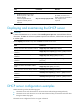
Ste
p
Command
Remarks
1. Enter system view.
system-view N/A
2. Enter interface view.
interface interface-type interface-number N/A
3. Enable the DHCP server on
the interface.
dhcp select server
By default, the DHCP
server on the interface
is enabled.
Applying an address pool on an interface
Perform this task to apply a DHCP address pool on an interface. Upon receiving a DHCP request from the
interface, the DHCP server assigns configuration parameters from the address pool to the client.
To apply an address pool on an interface:
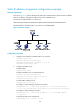
Ste
p
Command
Remarks
1. Enter system view.
system-view N/A
2. Enter interface view.
interface interface-type
interface-number
N/A