
R21xx-HP FlexFabric 11900 MPLS Command Reference
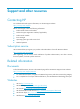
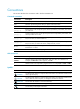

Table Of Contents
- Title Page
- Contents
- MCE commands
- description
- display bgp group ipv4 vpn-instance
- display bgp peer ipv4 vpn-instance
- display ip vpn-instance
- domain-id
- export route-policy
- ext-community-type
- import route-policy
- ip binding vpn-instance
- ip vpn-instance
- ipv4-family
- route-distinguisher
- route-tag
- routing-table limit
- vpn-instance-capability simple
- vpn-target
- IPv6 MCE commands
- Basic MPLS commands
- Static LSP commands
- LDP commands
- accept-label
- advertise-label
- backoff
- display mpls ldp discovery
- display mpls ldp fec
- display mpls ldp interface
- display mpls ldp lsp
- display mpls ldp parameter
- display mpls ldp peer
- display mpls ldp summary
- graceful-restart
- graceful-restart timer
- label-distribution
- loop-detect
- lsp-trigger
- lsr-id
- maxhops
- md5-authentication
- mpls ldp
- mpls ldp enable
- mpls ldp timer
- mpls ldp transport-address
- pv-limit
- reset mpls ldp
- session protection
- targeted-peer
- vpn-instance
- Tunnel policy commands
- MPLS L3VPN commands
- description (VPN instance view)
- display bgp group vpnv4
- display bgp peer vpnv4
- display bgp routing-table ipv4 unicast inlabel
- display bgp routing-table ipv4 unicast outlabel
- display bgp routing-table vpnv4
- display bgp routing-table vpnv4 advertise-info
- display bgp routing-table vpnv4 as-path-acl
- display bgp routing-table vpnv4 community-list
- display bgp routing-table vpnv4 inlabel
- display bgp routing-table vpnv4 outlabel
- display bgp routing-table vpnv4 peer
- display bgp routing-table vpnv4 statistics
- display ip vpn-instance
- domain-id
- export route-policy
- ext-community-type
- import route-policy
- ip binding vpn-instance
- ip vpn-instance (system view)
- ipv4-family (VPN instance view)
- ipv4-family vpnv4
- nesting-vpn
- peer next-hop-invariable
- peer upe
- peer upe route-policy
- policy vpn-target
- refresh bgp vpnv4
- reset bgp vpnv4
- route-distinguisher (VPN instance view)
- route-tag
- routing-table limit
- rr-filter
- tnl-policy (VPN instance view/IPv4 VPN view/IPv6 VPN view)
- vpn popgo
- vpn-target (VPN instance view/IPv4 VPN view/IPv6 VPN view)
- IPv6 MPLS L3VPN commands
- display bgp group vpnv6
- display bgp peer vpnv6
- display bgp routing-table vpnv6
- display bgp routing-table vpnv6 advertise-info
- display bgp routing-table vpnv6 as-path-acl
- display bgp routing-table vpnv6 community-list
- display bgp routing-table vpnv6 inlabel
- display bgp routing-table vpnv6 outlabel
- display bgp routing-table vpnv6 peer
- display bgp routing-table vpnv6 statistics
- ipv6-family (VPN instance view)
- ipv6-family vpnv6
- policy vpn-target
- refresh bgp vpnv6
- reset bgp vpnv6
- rr-filter
- MPLS L2VPN commands
- VPLS commands
- backup-peer
- description
- display l2vpn ldp
- display l2vpn forwarding
- display l2vpn mac-address
- display l2vpn pw
- display l2vpn pw-class
- display l2vpn service-instance
- display l2vpn vsi
- encapsulation
- l2vpn enable
- l2vpn switchover
- mac-learning enable
- mtu
- peer
- pw-class
- pw-type
- pwsignaling
- reset l2vpn mac-address
- revertive
- service-instance
- shutdown
- vsi
- xconnect vsi
- Support and other resources
- Index
192
Conventions
This section describes the conventions used in this documentation set.
Command conventions
Convention Descri
p
tion
Boldface Bold text represents commands and keywords that you enter literally as shown.
Italic Italic text represents arguments that you replace with actual values.
[ ] Square brackets enclose syntax choices (keywords or arguments) that are optional.
{ x | y | ... }
Braces enclose a set of required syntax choices separated by vertical bars, from which
you select one.
[ x | y | ... ]
Square brackets enclose a set of optional syntax choices separated by vertical bars, from
which you select one or none.
{ x | y | ... } *
Asterisk-marked braces enclose a set of required syntax choices separated by vertical
bars, from which you select at least one.
[ x | y | ... ] *
Asterisk-marked square brackets enclose optional syntax choices separated by vertical
bars, from which you select one choice, multiple choices, or none.
&<1-n>
The argument or keyword and argument combination before the ampersand (&) sign can
be entered 1 to n times.
# A line that starts with a pound (#) sign is comments.
GUI conventions
Convention Descri
p
tion
Boldface
Window names, button names, field names, and menu items are in bold text. For
example, the New User window appears; click OK.
> Multi-level menus are separated by angle brackets. For example, File > Create > Folder.
Symbols
Convention Descri
p
tion
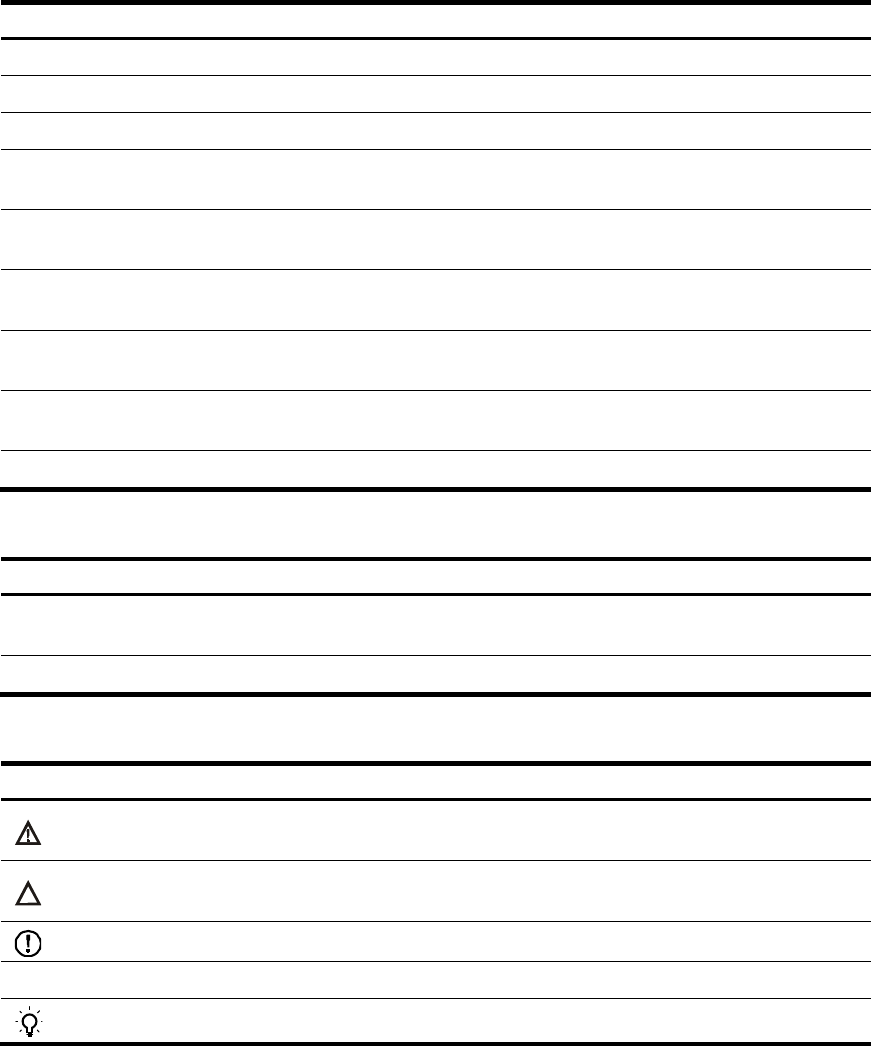
WARNING
An alert that calls attention to important information that if not understood or followed can
result in personal injury.
CAUTION
An alert that calls attention to important information that if not understood or followed can
result in data loss, data corruption, or damage to hardware or software.
IMPORTANT
An alert that calls attention to essential information.
NOTE
An alert that contains additional or supplementary information.
TIP
An alert that provides helpful information.