
R21xx-HP FlexFabric 11900 MPLS Configuration Guide
152
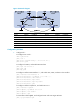
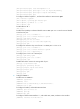
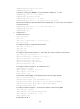
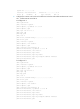
[PE1] mpls ldp
[PE1-ldp] quit
[PE1] isis 1
[PE1-isis-1] network-entity 10.0000.0000.0000.0004.00
[PE1-isis-1] quit
[PE1] interface loopback 0
[PE1-LoopBack0] isis enable 1
[PE1-LoopBack0] quit
[PE1] interface vlan-interface 12
[PE1-Vlan-interface12] ip address 30.1.1.1 24
[PE1-Vlan-interface12] isis enable 1
[PE1-Vlan-interface12] mpls enable
[PE1-Vlan-interface12] mpls ldp enable
[PE1-Vlan-interface12] mpls ldp transport-address interface
[PE1-Vlan-interface12] quit
[PE1] bgp 100
[PE1-bgp] peer 4.4.4.9 as-number 100
[PE1-bgp] peer 4.4.4.9 connect-interface loopback 0
[PE1-bgp] ipv4-family vpnv4
[PE1-bgp-vpnv4] peer 4.4.4.9 enable
[PE1-bgp-vpnv4] quit
[PE1-bgp] quit
# Configure PE 2 in the same way that PE 1 is configured. (Details not shown.)
After completing the configurations, execute the display mpls ldp peer command on PE 1 or PE 2
to see that the LDP session has been established. Execute the display bgp peer vpnv4 command to
see that the BGP peer relationship has been established and has reached the Established state.
Execute the display isis peer command to see that the IS-IS neighbor relationship has been set up.
Take PE 1 as an example:
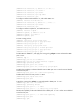
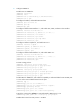
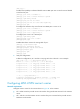
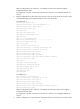
[PE1] display mpls ldp peer
Total number of peers: 1
Peer LDP ID State LAM Role GR MD5 KA Sent/Rcvd
4.4.4.9:0 Operational DU Active Off Off 8/8
[PE1] display bgp peer vpnv4
BGP local router ID: 3.3.3.9
Local AS number: 100
Total number of peers: 1 Peers in established state: 1
Peer AS MsgRcvd MsgSent OutQ PrefRcv Up/Down State
4.4.4.9 100 3 6 0 0 00:00:32 Established
[PE1] display isis peer
Peer information for ISIS(1)
----------------------------
System Id: 0000.0000.0005
Interface: Vlan-interface12 Circuit Id: 0000.0000.0005.02
State: Up HoldTime: 8s Type: L1(L1L2) PRI: 64