
R21xx-HP FlexFabric 11900 MPLS Configuration Guide
198
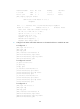
[PE1-bgp-vpn1] quit
[PE1-bgp] ip vpn-instance vpn2
[PE1-bgp-vpn2] peer 2001:2::1 as-number 65420
[PE1-bgp-vpn2] ipv6-family unicast
[PE1-bgp-ipv6-vpn2] peer 2001:2::1 enable
[PE1-bgp-ipv6-vpn2] import-route direct
[PE1-bgp-ipv6-vpn2] quit
[PE1-bgp-vpn2] quit
[PE1-bgp] quit
# Configure PE 2 in the same way that PE 1 is configured. (Details not shown.)
After completing the configurations, execute the display bgp peer ipv6 vpn-instance command on
the PEs. The output shows that a BGP peer relationship has been established between a PE and a
CE and has reached the Established state.
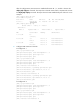
5. Configure an MP-IBGP peer relationship between the PEs:
# Configure PE 1.
[PE1] bgp 100
[PE1-bgp] peer 3.3.3.9 as-number 100
[PE1-bgp] peer 3.3.3.9 connect-interface loopback 0
[PE1-bgp] ipv6-family vpnv6
[PE1-bgp-af-vpnv6] peer 3.3.3.9 enable
[PE1-bgp-af-vpnv6] quit
[PE1-bgp] quit
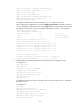
# Configure PE 2.
[PE2] bgp 100
[PE2-bgp] peer 1.1.1.9 as-number 100
[PE2-bgp] peer 1.1.1.9 connect-interface loopback 0
[PE2-bgp] ipv6-family vpnv6
[PE2-bgp-af-vpnv6] peer 1.1.1.9 enable
[PE2-bgp-af-vpnv6] quit
[PE2-bgp] quit
After completing the configurations, execute the display bgp peer vpnv6 command on the PEs. The
output shows a BGP peer relationship has been established between the PEs and has reached the
Established state.
6. Verify the configuration:
# Execute the display ipv6 routing-table vpn-instance command on the PEs. The output shows the
routes to the CEs. Take PE 1 as an example:
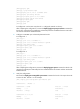
[PE1] display ipv6 routing-table vpn-instance vpn1
Destinations : 6 Routes : 6
Destination: ::1/128 Protocol : Direct
NextHop : ::1 Preference: 0
Interface : InLoop0 Cost : 0
Destination: 2001:1::/96 Protocol : Direct
NextHop : :: Preference: 0
Interface : Vlan11 Cost : 0