
R21xx-HP FlexFabric 11900 MPLS Configuration Guide
252
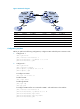
# Create a cross-connect group named vpn1, create a cross-connect named ldpsvc in the group,
and create an LDP PW and a static PW for the cross-connect to form a multi-segment PW that
includes the two PWs.
[P] xconnect-group vpn1
[P-xcg-vpn1] connection ldpsvc
[P-xcg-vpn1-ldpsvc] peer 192.2.2.2 pw-id 1000
[P-xcg-vpn1-ldpsvc-192.2.2.2-1000] quit
[P-xcg-vpn1-ldpsvc] peer 192.3.3.3 pw-id 1000 in-label 100 out-label 200
[P-xcg-vpn1-ldpsvc-192.3.3.3-1000] quit
[P-xcg-vpn1-ldpsvc] quit
[P-xcg-vpn1] quit
4. Configure PE 2:
<PE2> system-view
[PE2] interface loopback 0
[PE2-LoopBack0] ip address 192.3.3.3 32
[PE2-LoopBack0] quit
# Configure an LSR ID.
[PE2] mpls lsr-id 192.3.3.3
# Enable L2VPN.
[PE2] l2vpn enable
# Configure a tunnel between P and PE 2.
# Create a service instance on Ten-GigabitEthernet 1/0/1 connected to CE 2.
[PE2] interface ten-gigabitethernet1/0/1
[PE2-Ten-GigabitEthernet1/0/1] service-instance 1000
[PE2-Ten-GigabitEthernet1/0/1-srv1000] encapsulation s-vid 10
[PE2-Ten-GigabitEthernet1/0/1-srv1000] quit
[PE2-Ten-GigabitEthernet1/0/1] quit
# Create a cross-connect group named vpn1, create a cross-connect named svc in the group, bind
service instance 1000 on Ten-GigabitEthernet 1/0/1 to the cross-connect, and create a static PW
for the cross-connect to bind the AC to the PW.
[PE2] xconnect-group vpn1
[PE2-xcg-vpn1] connection svc
[PE2-xcg-vpn1-svc] ac interface ten-gigabitethernet1/0/1 service-instance 1000
[PE2-xcg-vpn1-svc] peer 192.4.4.4 pw-id 1000 in-label 200 out-label 100
[PE2-xcg-vpn1-svc-192.4.4.4-1000] quit
[PE2-xcg-vpn1-svc] quit
[PE2-xcg-vpn1] quit
5. Configure CE 2:
<CE2> system-view
[CE2] interface vlan-interface 10
[CE2-Vlan-interface10] ip address 100.1.1.2 24
[CE2-Vlan-interface10] quit
Verify the configuration
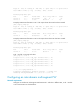
# Display L2VPN PW information on P. The output shows that two PWs have been created to form a
multi-segment PW.
[P] display l2vpn pw