
R21xx-HP FlexFabric 11900 Network Management and Monitoring Command Reference
109
Predefined user roles
network-admin
Parameters
port-number: Specifies the destination port number for the operation, in the range of 1 to 65535.
Examples
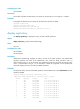
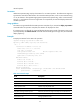
# Configure the destination port number for the UDP echo operation as 9000.
<Sysname> system-view
[Sysname] nqa entry admin test
[Sysname-nqa-admin-test] type udp-echo
[Sysname-nqa-admin-test-udp-echo] destination port 9000
display nqa history
Use display nqa history to display the history records of NQA operations.
Syntax
display nqa history [ admin-name operation-tag ]
Views
Any view
Predefined user roles
network-admin
network-operator
Parameters
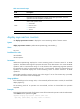
admin-name operation-tag: Displays the history records of an NQA operation. The admin-name
argument represents the name of the administrator who creates the NQA operation, and is a
case-insensitive string of 1 to 32 characters. The operation-tag argument represents the operation tag,
and is a case-insensitive string of 1 to 32 characters. If these two arguments are not specified, the
command displays the history records of all NQA operations.
Examples
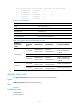
# Display the history records of the NQA operation with the administrator name administrator and the
operation tag test.
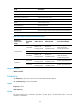
<Sysname> display nqa history administrator test
NQA entry (admin administrator, tag test) history records:
Index Response Status Time
10 329 Succeeded 2007-04-29 20:54:26.5
9 344 Succeeded 2007-04-29 20:54:26.2
8 328 Succeeded 2007-04-29 20:54:25.8
7 328 Succeeded 2007-04-29 20:54:25.5
6 328 Succeeded 2007-04-29 20:54:25.1
5 328 Succeeded 2007-04-29 20:54:24.8
4 328 Succeeded 2007-04-29 20:54:24.5
3 328 Succeeded 2007-04-29 20:54:24.1
2 328 Succeeded 2007-04-29 20:54:23.8
1 328 Succeeded 2007-04-29 20:54:23.4