
R21xx-HP FlexFabric 11900 Network Management and Monitoring Command Reference



129
Examples
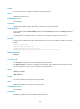
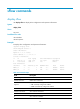
# Configure the system to collect the ICMP echo operation statistics at 2-minute intervals.
<Sysname> system-view
[Sysname] nqa entry admin test
[Sysname-nqa-admin-test] type icmp-echo
[Sysname-nqa-admin-test-icmp-echo] statistics interval 2
statistics max-group
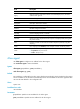
Use statistics max-group to configure the maximum number of statistics groups that can be saved.
Use undo statistics max-group to restore the default.
Syntax
statistics max-group number
undo statistics max-group
Default
A maximum of two statistics groups can be saved.
Views
ICMP echo operation view, UDP echo operation view
Predefined user roles
network-admin
Parameters
number: Specifies the maximum number of statistics groups, in the range of 0 to 100. To disable statistics
collection, set the value to 0.
Usage guidelines
When the maximum number of statistics groups is reached and a new statistics group is to be saved, the
earliest statistics group is deleted.
Examples
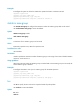
# Configure the NQA to save up to 5 statistics groups for the ICMP operation.
<Sysname> system-view
[Sysname] nqa entry admin test
[Sysname-nqa-admin-test] type icmp-echo
[Sysname-nqa-admin-test-icmp-echo] statistics max-group 5
tos
Use tos to specify the ToS value in the IP packet header of probe packets.
Use undo tos to restore the default.
Syntax
tos value
undo tos