
R21xx-HP FlexFabric 11900 Network Management and Monitoring Command Reference

187
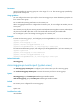
Usage guidelines
You can configure source ports only for local mirroring groups or remote source groups but not for remote
destination groups.
Do not assign source ports to remote probe VLANs.
A port can serve as a source port for multiple mirroring groups, but cannot be a reflector port, monitor
port, or an egress port at the same time.
A Layer 2 aggregate interface cannot be configured as a source port of a mirroring group.
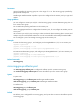
Examples
# Create local mirroring group 1, configure Ten-GigabitEthernet 1/0/1 as a source port of the mirroring
group, and configure the mirroring group to monitor the bidirectional traffic of the port.
<Sysname> system-view
[Sysname] mirroring-group 1 local
[Sysname] mirroring-group 1 mirroring-port ten-gigabitethernet 1/0/1 both
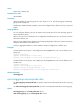
# Create remote source group 2, configure Ten-GigabitEthernet 1/0/2 as a source port of the mirroring
group, and configure the mirroring group to monitor the bidirectional traffic of the port.
<Sysname> system-view
[Sysname] mirroring-group 2 remote-source
[Sysname] mirroring-group 2 mirroring-port ten-gigabitethernet 1/0/2 both
Related commands
mirroring-group
mirroring-group monitor-egress
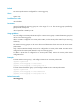
Use mirroring-group monitor-egress to configure an egress port for a remote source group.
Use undo mirroring-group monitor-egress to remove the egress port of a remote source group.
Syntax
In system view:
mirroring-group group-id monitor-egress interface-type interface-number
undo mirroring-group group-id monitor-egress interface-type interface-number
In interface view:
mirroring-group group-id monitor-egress
undo mirroring-group group-id monitor-egress
Default
No egress port is configured for a mirroring group.
Views
System view, interface view
Predefined user roles
network-admin